Access IBM Mainframe via 3270 terminal emulation. View and edit data in 24x80 or 32x80 screen sizes. Use SSL/TLS for secure connections. Customize colors and support multiple EBCDIC code pages. Scan barcodes with camera.
by Jan Frydendal★ 2.33 ratingsBusiness$29.99Data updated 2026-09-08
The app allows users to reset forgotten passwords and unlock Active Directory accounts from their iPhones. It also enables password changes and synchronization with cloud and on-premise systems.
Connect to servers via SSH or Telnet with username/password or key authentication. Manage files using SFTP for viewing, uploading, and editing. Store and manage encrypted private keys in supported formats.
Calculator with large keys and 4 basic functions for use. Review entries using tape, add comments, timestamp, and email numbers. Bring past entries into current calculations.
Access legacy host applications via terminal emulation. Connect to Bull, IBM, DEC, UNIX, and Linux systems. Supports IBM 3270/5250, Bull Questar, and VIP78 terminals. Run on iPad, iPhone, and Mac with M1/M2 chips.
QR codes and barcodes by aligning them in the camera view. Automatically recognize codes and open URLs in the browser. View text, copy, or share content from codes. For phone numbers, emails, or contacts, take appropriate actions.
The app provides iPad access to IBM Power Systems, iSeries, and AS/400. It supports Internet or Wi-Fi connections and includes features like a numeric keypad and color customization.
Scan QR codes and barcodes using smartphone camera. Save scanned codes to history. Share scanned results with contacts. Recognize various barcode types. Read and decode QR codes quickly.
Transfer files via SFTP and FTPS protocols. Upload photos and videos in native format with metadata. View image files in gridview. Support for private keys and secure connections.
Secure online browsing with a fast VPN service. Hide and change IP address, encrypt internet traffic, and access restricted content. Protect WiFi connections and maintain privacy. Connect to 50+ global servers.
Synchronize custom configuration sources and manage network parameters. Use AES, ChaCha20, and TLS 1.3 for secure data transmission. Optimize and stabilize internet connections.
The app provides secure identity verification using a mobile device as an authentication factor. It generates one-time passcodes or receives push notifications for login approval, adding a layer of security to online applications.
Track damage, reactors, and orders for Adeptus Titanicus units. Manage weapons and apply terminal status. View unit details without painting or assembly. Compatible with table-flips.
Manage SSH connections with password or key authentication. Connect to servers using DSA, RSA, ECDSA, or Ed25519 keys. nd store keys securely. Support FIDO keys and Enclave. Transfer files via Sixel, iTerm2 image, ZModem, and Trzsz.
Check SSL certificate status for any host. Identify issues like self-signed certificates, incorrect host names, or expiration. Monitor hosts for changes and receive alerts. Export results and share reports.
Allows users to access remote servers via SSH or Telnet. Create and organize session folders. Import sessions from desktop versions. Customize terminal settings. Manage connections and configure emulation options.
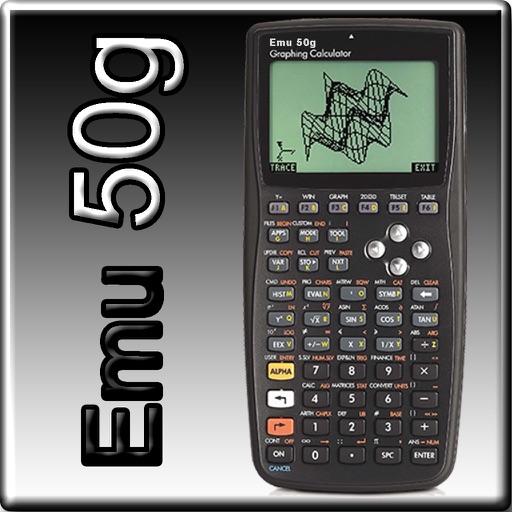
The app provides full emulation of the HP50g calculator with its original skin. Users can save and load calculator states, transfer files, and copy/paste results.