
QR Code Scanner Read Generator
Codes, open links, copy text
Sebastien Rousseau
iPhone Screenshots


Description
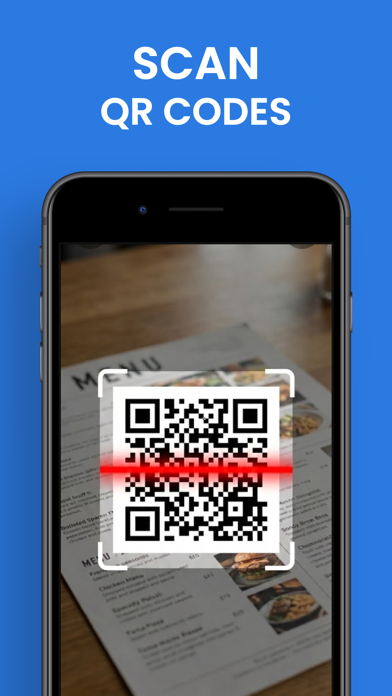
QR codes and barcodes by aligning them in the camera view. Automatically recognize codes and open URLs in the browser. View text, copy, or share content from codes. For phone numbers, emails, or contacts, take appropriate actions.
The essential tool for your iPhone: Scan, Create, and Share in one second!
Discover the fastest and simplest QR Code and Barcode reader on the App Store. Whether scanning a restaurant menu, connecting to Wifi without a password, or comparing prices in stores, this app is your all-in-one companion.
SCAN INSTANTLY
Simply open the app and point the camera at the code. That's it! The app automatically recognizes the content:
- URL & Websites: Open directly in Safari.
- Text & Numbers: Immediate copy to clipboard.
- Contacts (vCard): One-click add to your address book.
- WIFI: Automatic network connection (no need to type the password!).
- Events: Direct add to your calendar.
- Emails & SMS: Pre-filled and ready to send.
SAVE MONEY
Scan product barcodes (EAN, UPC) in stores to quickly compare prices online and find the best deal.
CREATIVE CODE GENERATOR
Need to share your details or a link? Create your own custom QR Codes in seconds for:
- Your social networks (Instagram, Facebook, Twitter...)
- Your website
- Your virtual business card
- Your personal notes
KEY FEATURES:
- Ultra-Fast: Instant detection without pressing any buttons.
- All Formats: Supports UPC, EAN, ISBN, Data Matrix, and many others.
- Unlimited History: Easily find all your past scans.
- Flashlight: Activate flash to scan in the dark.
- Easy Share: Send your generated codes via email or social media.
- 100% Free & Secure.
Simplify your life and download the best pocket scanner now!
Privacy Policy: https://sites.google.com/view/rmapp-privacypolicy/privacy-policy-qr-code-app
Terms of Use: https://sites.google.com/view/rmapp-privacypolicy/terms-of-use-qr-code