Apps Like Canvas Software - Painter for iPhone and iPad
Create, edit, and share artwork
Create and edit digital art with layers, filters, and adjustment tools. Use timelapse recording and high-performance rendering at 60fps. Import and export files in various formats. Annotate and share artwork directly.
by Canvas Software LLC★ 4.01 ratingsGraphics & DesignFreeData updated 2026-09-06
Edit photos with cropping, filters, and adjustments. Remove unwanted objects or people using the Magic tool. Replace backgrounds to create montages. Create collages with pre-designed templates. Export edited photos in multiple formats.
Mount drawings with hundreds of realistic photo frames in various styles. Batch mount up to 20 drawings at once. Record and save drawing sessions. Share completed frames directly.
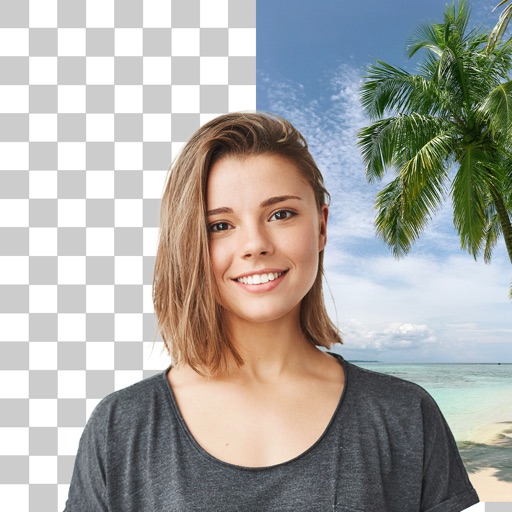
Remove backgrounds from images and create transparent or colorful alternatives. Edit colors, apply filters, add borders, and include text. Save edited photos as high-quality PNG or JPEG files.
Edit videos and photos with quick sticker, genmoji, and emoji additions. Merge media to create . Share directly to social platforms. Add text overlays and customize visuals. Export in various formats for different platforms.
Create collages by combining multiple photos from the gallery. Choose from various frames and themes. Apply filters to enhance images. Share collages directly to social media platforms. Edit individual photos with cropping and adjustment tools.
Create daily drawings through guided challenges with specific prompts. Receive instant feedback on artwork. Track XP, maintain streaks, and compare rankings on leaderboards. Features a clean interface optimized for artists.
Turn photos into sketches, oil paintings, and watercolor with style transfer. Apply filters to enhance visuals. Export edited images in various formats and share directly.
Apply AI-generated art filters to photos using style transfer technology. Adjust brightness, exposure, and temperature for fine-tuning. Save and share edited images directly.
Edit videos with overlays, aesthetic effects, and filters. Add sound and music. Create vlogs, social media reels, and cinematic clips. Export edited videos in various formats.
Create by tracing virtual projections of photos on paper, easels, or any surface. Adjust drawing tools for precision. Learn drawing techniques with guided tutorials. Save and share finished pieces. Sync drawings across devices.
Allows users to capture photos with a minimal yet powerful interface. It includes manual controls for exposure, focus, and white balance. Users can edit images with advanced tools like color grading, adjustment layers, and masking.
Edit photos with , , and AI cutout tools. Apply neon, glitch, and overlay . Add doodles, artistic text, and fun stickers. Share edited photos directly to Instagram, WhatsApp, Facebook, and Messenger.
Create videos and images from text prompts using advanced algorithms. Edit photos with enhancements and filters. Track prompt ideas with notes and access a thesaurus for word suggestions. Export and share final creations.
Create photo albums and take photos using simple steps. Use photo frames for consistent images. Generate timelapse videos and share them with loved ones. Receive daily reminders to capture new photos.
Edit photos with AI cartoon filters, -to-sketch conversion, and mosaic art creation. Remove backgrounds, add drip art, and create collages. Save and share edited images directly.
Create or visa photos with automated background adjustment and customizable attire options. Enhance images with beautification tools. Save and share edited photos directly.