Apps Like PDF Scanner App- Scan Document for iPhone and iPad
Documents and convert to PDF
Documents and convert them to PDF. Edit scanned text and add notes. Share files via email or cloud services. Organize and store multiple documents in folders. Adjust brightness and crop images for clarity.
by Muhammad Bilal Tufail★ 5.05 ratingsBusinessFreeData updated 2026-09-06
Convert documents, receipts, and text into high-quality PDFs or JPEGs. Scan and straighten pages automatically. Save, share, or upload files via cloud services or email.
Documents and save as PDF in a folder automatically. Single tap to start scanning. Automatically detects and crops documents. Fixes skewed pages and names files with timestamps. Uploads instantly. Choose folders and disable automatic mode as needed.
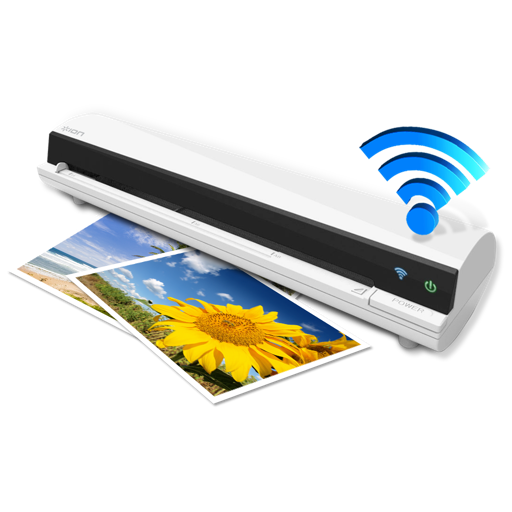
The app works with the ION Air Copy hardware, a portable Wi-Fi scanner. It scans photos, receipts, business cards, notes, and documents up to US Legal size directly to a Mac, then shares them via email or social networking.
Converts phone cameras into professional scanners. Capture documents quickly with precise scanning. Edit images, remove backgrounds, and enhance clarity. Use OCR to extract text from images. Save and share files in PDF, JPEG, and other formats.
Create and manage PDF documents by scanning, editing, and signing files. Extract text from PDFs and import various file types. Reorder, rotate, duplicate, or delete pages. Scan multiple pages at once with smart edge detection.
Convert documents, receipts, and notes into high-quality PDFs with scanning and editing tools. Print files, photos, and other content directly from iOS devices to compatible printers. Share scanned documents and PDFs via email or messaging.
Scan documents using camera or device gallery. Convert to PDF, JPEG, or ZIP formats. and share scanned files. Edit scanned documents. Organize and manage scanned files in folders. Export to email or cloud storage.
Documents digitally by adding signatures, initials, or text. Upload files and securely export signed versions. Send documents for approval and track status. Edit forms and multiple pages within a single file.
Scan documents, photos, PDFs, and ID cards using device camera. Save, delete, and share scanned files. Scan QR codes and barcodes. Access scanned documents without needing physical scanners or printers.
Scan documents, QR codes, and barcodes using camera or gallery. Create and manage digital copies of credit cards, books, checks, recipes, and timetables. Extract text with OCR. Process images from camera, gallery, cloud, and network services.
Scan documents using an all-in-one . Live scan paper documents and save digital copies. Access scanned files from the Photos library. Organize with folders and manage scan history. Edit previous scans and share documents as PDF or JPEG.
Digitize documents, photos, receipts, and business cards into high-quality PDFs. Convert images to PDF, create digital signatures, and edit PDF files. Sync documents across devices and manage files with organization and security features.