Apps Like 3D modeling: Design my model for iPhone and iPad
3D objects with gestures
3D models using gesture-based controls for object and camera manipulation. Multi-select vertices, edges, faces, and objects with long taps or frame drawing. Merge, connect, and create faces from vertices. Draw cuts on edges.
by Core five, Inc.★ 4.614,889 ratingsGraphics & DesignFreeData updated 2026-11-24
AI photo editor allows users to remove objects, people, and text from images. Change backgrounds and retouch photos with AI tools. Edit faces and create avatars. Export edited images in various formats.
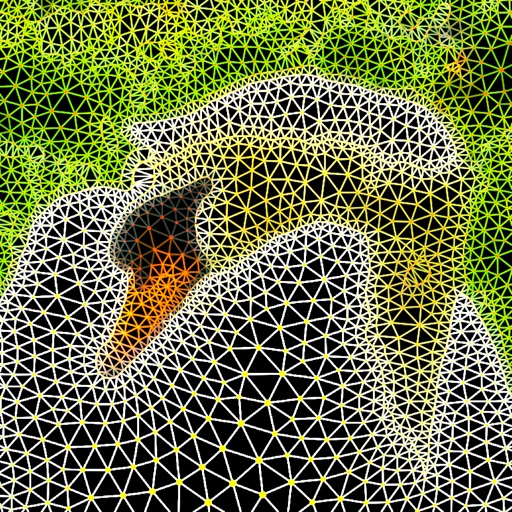
The app generates a triangular mesh from a photo and converts it to a vector image. Users can select from five mesh types and customize patch and node shapes and colors.
Backgrounds from photos with precision, save images with transparent backgrounds, or replace them with custom ones. Edit photos by adding filters, drawing, inserting text, and applying stickers to create professional images and social media content.
The app offers basic drawing items, modification functions, and multi-layer support. Users can add images, save blocks to a template list, and customize the background.
Edit photos with AI-powered background removal and erasure. Refine edges manually for precise results. Enhance image quality and create professional-looking photos without design skills.
Create digital artwork with customizable brushes and adjust texture, shape, and paper quality. Import and export images in various formats. Access unlimited brushes and tools for free for 30 hours monthly.
Create art with layer editing tools including adding, deleting, duplicating, hiding, sorting, and grouping layers. Use blend modes and transparency settings. Access various tools like pen, eyedropper, eraser, and selection.
Backgrounds and erase unwanted using AI. Enhance photo quality and transform images with advanced editing tools. Edit multiple layers and apply filters. Share edited photos directly from the .
Explore augmented reality animals in your surroundings. Place and move virtual creatures using AR. Capture photos and videos to share. Listen to sounds and view their realistic details. Resize and rotate animals for interactive exploration.
Create freehand artwork from real-life images using AR technology. , , and paint over live camera views. Add text and stickers to drawings. Export creations in multiple formats and share directly.
Astronomical objects and compare sizes from galaxies to atoms. Use gestures to zoom in and out, to microscopic levels or cosmic distances. View detailed comparisons and understand relative sizes visually.
Customize Apple with 1,000+ original faces, including animated and seasonal designs. Add complications and widgets. Create custom emojis. Install faces with a single tap.
Edit images and videos by selectively recoloring elements. Extract objects, shapes, and text using tracing, magic eraser, and recoloring tools. Deform and extracted elements with distortion tools.
The app provides a portable 3D modeler for creating shapes and objects. Users can manipulate models using finger gestures and access geometric primitives.
Edit photos with background erasing and replacement. Remove backgrounds automatically or manually using AI. Replace backgrounds with custom images, colors, gradients, or textures. Adjust and enhance images with precise editing tools.
Create and visualize graphs with up to 20,000 edges. Analyze paths, flows, centralities, clustering, and cliques. Import larger graphs for extended analysis. Export results and view statistical summaries.