Apps Like 3D modeling: Design my model for iPhone and iPad
3D objects with gestures
3D models using gesture-based controls for object and camera manipulation. Multi-select vertices, edges, faces, and objects with long taps or frame drawing. Merge, connect, and create faces from vertices. Draw cuts on edges.
by Core five, Inc.★ 4.614,861 ratingsGraphics & DesignFreeData updated 2026-11-22
Draw and with customizable brushes and layers. Edit images with adjustment tools and filters. Import and export files in various formats. Use gesture controls for quick navigation and editing.
Objects, people, blemishes, and acne from photos using AI-powered background removal. Edit images to replace or erase unwanted elements. Export edited photos in various formats.
Create collages by combining photos, adding stickers, and applying effects. Choose from multiple layouts and templates. Edit images with cropping and filters. Share finished collages directly to social media.
For allow users to paint pictures of animals and vehicles. Features include selecting colors, erasing mistakes, and saving completed artwork. learn animal and vehicle names while improving fine motor skills through drawing activities.
Explore the scale of the from microscopic particles to vast galaxies. Compare sizes through interactive swiping to visualize differences in magnitude. View detailed comparisons between objects like planets, humans, and atoms.
Take notes with customizable ink styles and pressure-sensitive strokes. Choose from various pen tools and colors. Record and sync audio with writing. Draw precise shapes and lines. Share notes directly.
Upscale photos by 2×, 4×, or 8× using AI. Repair low-resolution images, retouch faces, and apply advanced enhancements. Supports macOS Tahoe 26 and works efficiently on M1/M2/M3/M4 chips. Export enhanced images directly.
Create flipbook animations with frame-by-frame drawing. Use pressure-sensitive pen and eraser tools for artistic effects. Edit with undo/redo features. Add predefined animations and effects. Export and share finished projects.
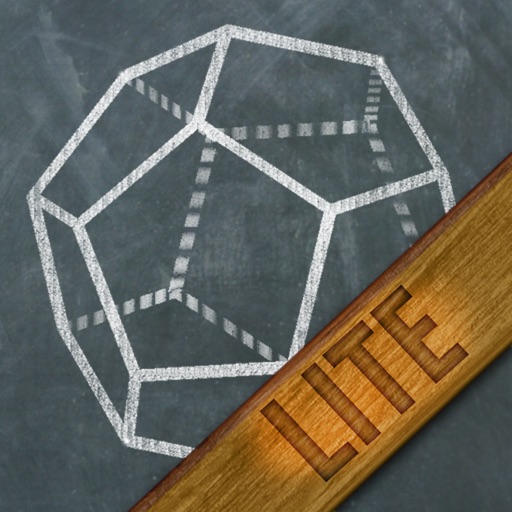
Learn solid geometry by creating cross-sections of polyhedra using a defined plane. Build cross-sections by tapping three points on polyhedron faces. Explore regular polyhedra, pyramids, prisms, anti-prisms, and Archimedean solids.
Transform your screen with crisp HD images and immersive live wallpapers. Choose from team mascots, fan art, and watch faces. Lock screen highlights and short clips capture game atmosphere. Stay ahead with real-time live scores and historical stats.
Build immersive worlds by adding and moving track tiles with drag-and-drop gestures. Create open-ended scenarios with trains, tunnels, junctions, and scenery. Explore a fully 3D environment and control trains from the driver’s seat.
Allows trimming, cutting, and adding effects to videos. Collage lets arrange multiple photos into grids or layouts. Slideshow creates timed photo presentations with music. Photo offers filters, cropping, and text tools.
Remove unwanted objects, text, or backgrounds from images or videos. Use finger gestures to select areas for deletion. Automatically blend removed sections with surrounding content for seamless results. Edit both static images and clips.
Create collages and edit photos with cropping, filters, and text. Add stickers and remove backgrounds. Edit videos, create slideshows, and design invitations. Share directly to Instagram with hashtag management.
Edit photos by blurring backgrounds, faces, or specific subjects. Apply various effects and filters. Save edited images to the camera roll or share them directly.
Create designs with a flexible canvas and 45+ device frames. Sketch with Apple Pencil, build wireframes, and develop interactive prototypes. Collaborate in real-time and export designs in multiple formats.
Teach toddlers to assemble puzzles with 2 pieces per cube face. Complete 12 levels to develop logic and spatial reasoning. Features include colorful animals, calming pastel colors, and background music.