Apps Like Cut & Paste Photo Editor for iPhone and iPad
Crop photos and on new backgrounds
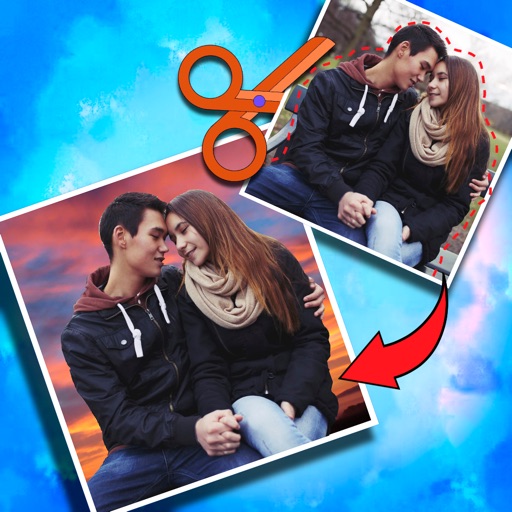
Crop photos and save individual cropped sections for later use. Combine cropped images with backgrounds or other photos to create new compositions. Apply filters to enhance the visual appearance of edited images.
by Koruskan SC★ 4.239 ratingsPhoto & VideoFreeData updated 2026-09-06
Apply infrared-style filters to photos for a surreal, desaturated look. Adjust color balance and contrast to enhance the film-like effect. Share edited images directly or export in various formats.
The app creates unique photo compositions by combining two images from a user's camera roll. Users can also apply filters to existing photos to generate new compositions.
Create collages using photos and apply visual effects. Customize artwork and layouts. Share creations on social media platforms like Instagram, Facebook, and Twitter. Edit photos with filters and adjustments. Add text and stickers to images.
Edit photos with advanced tools like layers, masks, and adjustment brushes. Crop, rotate, and resize images. Add text, stickers, and special effects. Export in various formats and share directly.
Edit photos with filters, adjustments, effects, blur, and focus. Crop, rotate, and draw on images. Apply tone curves and enhance details. Save and share edited photos in various formats.
Edit photos and videos with time-based filters to alter appearance across ages. Try different hairstyles, haircuts, and colors using uploaded images. Apply popular influencer effects for social media sharing.
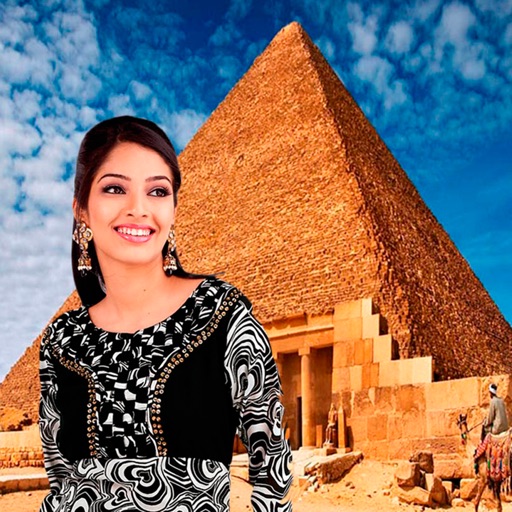
Select a monument from the collection. Crop a photo by pressing the silhouette button. Draw the desired area your finger to cut out your figure. Position yourself within the chosen image section.
Edit photos and videos with vintage and retro styles using curated presets. Apply filters to adjust color, contrast, and tone. Use templates for minimal, paper, film, or polaroid effects. Export edited content in various formats and share directly.
Edit photos with real-time cartoon effects and aging filters. Apply artistic effects with one tap. Add text, stickers, and adjust colors. Export edited images in multiple formats and share directly.
Edit photos with instant AI background removal. Access video tutorials from stylists. Choose from new backgrounds for social media, menus, or delivery. Adjust settings for professional results. Share edited images directly.
With Hi-Def, Scenery, Food, Portrait, and Night effects. Adjust saturation, warmth, tint, and fade. Crop, rotate, and straighten images. Draw, add text, and create memes. Use Focus or Vignette to highlight subjects.