Organize notes and tasks into workspaces, projects, and workflows. Track progress, set due dates, and add markdown notes. Attach files and subtasks. Sync data across devices using Dropbox.
by Labrum Co. LC★ 4.73 ratingsProductivityFreeData updated 2026-09-06
Manage projects and tasks for community, cultural, or religious activities. Assign roles, set deadlines, and track progress. Communicate with team members and access event schedules. Share updates and documents within the .
Assign tasks, set deadlines, and track progress within projects. Comment on design files for feedback. Adjust access permissions based on user roles. Manage projects with organized workflows and team collaboration tools.
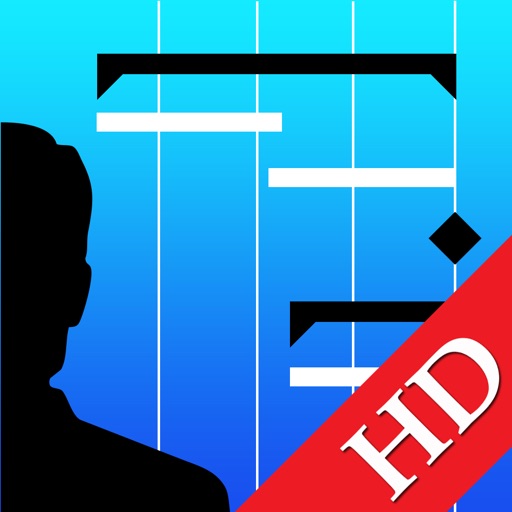
Manage multiple projects and tasks organized into phases and milestones. View projects on Gantt charts in portrait or landscape mode with day, week, or month scales. Track progress and manage deadlines across different timelines.
Track time worked, view assigned projects, and log completed tasks. Sync with for timesheet, HR, and payroll management. Access project details and task history directly from the .
Manage projects and daily tasks with a color-coded visual . Assign colors to projects for organization. Track effort levels and energy needs throughout the week. Log tasks, set priorities, and view progress across projects and days.
Manage projects and sites with organized task tracking and location hierarchy. Log , conduct inspections, and create punch lists. Monitor progress and streamline workflows for improved supervision and efficiency.
The app combines notes and to-do lists for managing tasks and ideas. It offers iCloud sync, reminders, and deadline setting for organization across Apple devices.
Create cards and visualize workflows using Kanban boards. Manage and schedule professional and personal tasks. View and organize documents. Instantly communicate with team members. Track project progress and deadlines.
Manage tasks with a to-do , task manager, and planner. Create, delete, and edit items. Set reminders, repeat rules, and sort tasks. Sync across devices via iCloud. Search and copy items. Plan projects, grocery lists, or vacations.
Manage project schedules and tasks on an iPad. View active project timelines, add and adjust lookahead tasks, track progress in real time, create roadblocks to highlight constraints, and share schedule updates as PDFs.
Set daily goals using SMART criteria. Track progress with task lists and reminders. Organize tasks into projects. View weekly and monthly calendars. Sync across devices. Receive notifications for deadlines. Export goal reports.
Manage tasks using the Getting Things Done methodology. Create and organize to-do lists, set priorities, and track progress. Sync across web, iOS, and Mac platforms. View tasks in Today and Next Actions for focused organization.
Manage tasks with list-based organization, including onetime and repeating items. Assign categories and tags, add subtasks and attachments. Track time for tasks and subtasks. View tasks and events in calendar and today views. Receive in- alerts.
Take notes using Markdown with formatting options like tables, lists, and images. Sync data across platforms via GitHub, Git server, or iCloud Drive. Create and manage for task organization. Use whiteboarding features to sketch and collaborate.
Manage tasks, sync projects, and organize workflow
Create tasks, set priorities, and manage deadlines. Add notes, due dates, and recurring reminders. Assign tasks to team members. Sync across devices and integrate with calendars. Filter and search tasks by project or label.
Create and organize tasks with customizable categories and priority levels. Set due dates and reminders. Add notes and attachments. Sync across devices. Filter tasks by project, status, or tag. Export data in multiple formats.
Create and manage multiple lists for tasks, projects, and ideas. Drag cards between lists and rearrange lists visually. Track progress with clear, direct interface. Set priorities and organize workflows efficiently.