Record color, depth, and IMU data using a LiDAR-equipped device. Export datasets to a desktop computer. Includes color images, depth frames, confidence maps, and camera metadata for machine learning and dense mapping applications.
by Kenneth Blomqvist★ 5.05 ratingsDeveloper ToolsFreeData updated 2026-09-06
Capture high-resolution color and structure data to create realistic 3D models. Scan people and objects using an iPad and Structure Sensor. Share models on sketchfab.com. Use augmented reality for feedback during scanning.
Stream and record 3D video content. Choose from various video formats and resolutions. Save recordings to device storage. Share videos via social media or messaging apps. Adjust playback speed and view in 3D mode.
Access real-time images from the TrueDepth camera for low-light photography. Pan the display to face angles from different perspectives. Switch between 3D and 2D views to see depth data alongside the original image. Save 3D face photos directly.
Create and customize drawings of an with poseable joints and adjustable limbs. Select from various skins and backgrounds. Adjust camera angles, zoom, and lighting. Use animations to guide realistic poses and movements.
Identify colors by pointing camera or selecting images. Get names, Hex codes, and RGB values. Detect multiple colors at once. Save favorite colors to history.
Capture effects and styles to enhance photos. Apply adjustable sensitivity for color and intensity control. Access additional modes like Cyberpunk and Matrix for creative effects. Export edited images in various formats.
The app allows users to add typography, filters, frames, shapes, and stickers to photos. It includes tools to adjust sharpness, brightness, saturation, contrast, RGB, hue, and exposure.
Apply Lightroom to photos and videos with one click. Access 270+ organized into 45+ thematic collections. Export DNG and 3DLUT for use in Lightroom desktop and mobile. Edit photos and videos directly within the .
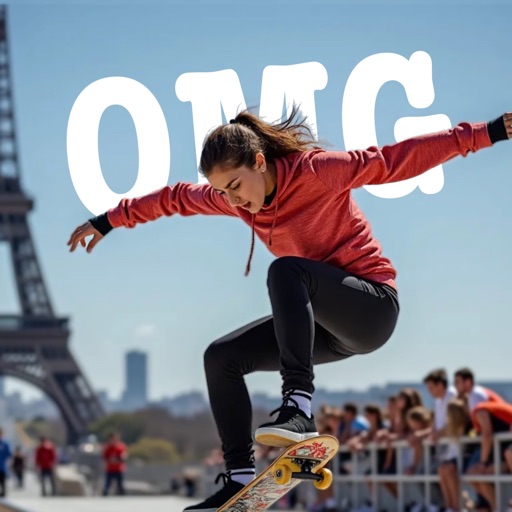
AI-powered placement allows users to embed objects in photos. Customize fonts, sizes, and colors. Adjust position and depth for professional-looking depth effects. Export edited images directly.
Displays depth of field in a format based on selected camera and lens. Shows achievable focus ranges without unnecessary details. Allows users to compare depth of field values for different lens models.
Create and customize scripts with adjustable text size, color schemes, and background settings. Align text for optimal reading. Use device as a to read scripts during recordings. Control scrolling speed and direction.