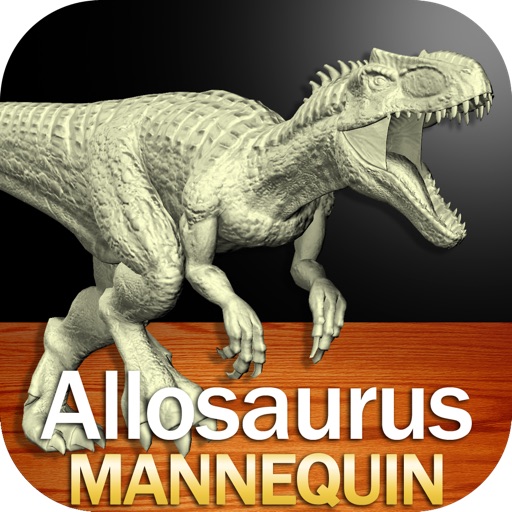
Apps Like Allosaurus Mannequin for iPhone and iPad
Draw poses and apply skins
Create and customize drawings of an with poseable joints and adjustable limbs. Select from various skins and backgrounds. Adjust camera angles, zoom, and lighting. Use animations to guide realistic poses and movements.
by Clayton Kashuba★ 4.829 ratingsEducationFreeData updated 2026-09-14
Draw a -Rex by adjusting poseable limbs and joints. Use reference tools and skins for detail. Change camera angles and backgrounds. Animate natural movements for realistic poses. Select from various platforms and styles.
Draw a in any pose with poseable figure tools. Adjust limbs and joints for custom positions. Use skins to enhance detail and realism. Change camera angles and zoom. Select from various backgrounds and platforms.
Draw a with poseable limbs and adjustable joints for custom poses. Use reference tools and skins to enhance detail and realism. Adjust camera angles and select backgrounds and platforms for accurate drawing.
Create detailed drawings of a with poseable limbs and adjustable joints. Use reference tools and skins to enhance realism. Adjust camera angles and select from various backgrounds and platforms. Animate natural movements for accurate posing.
Draw a in any pose by adjusting joints and limbs. Use poseable models and reference tools for accurate positioning. Apply skins for detailed textures. Customize camera angles and backgrounds.
And practice drawing pencil sketches on paper. Select and customize drawing tools. Follow guided tutorials to improve techniques. Save and review artwork progress. Adjust brush settings for different strokes. Share completed drawings digitally.
Edit photos with enhancement tools, effects, and color splash. Add stickers, frames, and overlays. Create collages and custom drawings. Crop, rotate, flip, and straighten images. Adjust brightness, contrast, and saturation.
Use your phone camera to draw on any surface. Access templates for animals, cars, and nature. Utilize the built-in flashlight for better visibility. Share completed drawings with friends. Create art using augmented reality technology.
Play in 3D or 2D with adjustable difficulty levels. View the board from any angle by swiping. Challenge AI opponents, play against real players online, or compete against friends. Track game progress and learn strategies for beginners.
Draw and paint images using customizable color pencils, pastels, and brushes. Choose colors freely and adjust settings for precise control. Save artwork to camera roll and share via Facebook or Twitter.
® allows artists to view and rotate 3D models of hands, feet, and heads. Users can adjust angles and positions for drawing references. In- purchases add more limbs and customization options.
Control main joints for precise adjustments. View multiple angles of different poses. Inspect yoga or exercise positions from various perspectives. Use as a drawing model for animation, illustration, or sketching.
Edit photos and videos with face retouch, skin smoothing, and reshaping tools. Apply filters and use AI-powered features like hairstyle adjustment and object removal. Enhance image quality and correct camera distortion. Share edited content directly.
Drawings, photos, and artwork with adjustable screen brightness for clear visibility. Lock artwork to prevent accidental movement. Use outline mode to enhance line visibility. Project images via AR for tracing accuracy.
Create flipbook animations with frame-by-frame drawing. Use pressure-sensitive pen and eraser tools for artistic effects. Edit with undo/redo features. Add predefined animations and effects. Export and share finished projects.
Edit photos with one-click body reshaping and scene-adaptive optimization. Adjust parameters for precise control. Apply regularly updated filters. Enhance body proportions by identifying 30+ key points. Share edited images directly.
Create custom grids over reference images or drawing surfaces. Set grid dimensions and adjust spacing. Transfer intricate details square by square. Export drawings in multiple formats. Share directly from the .
Explore a 3D model of with real-time sun position and dynamic lighting. Rotate the globe, zoom in on continents, and view and galaxies. Adjust lighting effects and track celestial movements. Share the view via screen recording or screenshot.