Manage and automate IT infrastructure by configuring and monitoring devices such as conference room lighting, multimedia displays, and EV chargers. Apply custom settings to multiple devices and groups with a single tap.
by Ubiquiti Inc.★ 4.611 ratingsUtilitiesFreeData updated 2026-09-06
Manage smart devices like cameras, thermostats, locks, and sensors from one . Share device access with others while controlling permissions. Monitor activity and receive alerts for device status changes.
Control smart home devices like heating systems and electric vehicle chargers. Monitor energy usage and costs. Set schedules for devices. Receive alerts and notifications. Adjust settings remotely from a smartphone.
Manage multiple Smart devices remotely. Create and update schedules for lighting, pool, and spa equipment. Adjust ON/OFF settings, select templates, and modify timers. Monitor energy usage and receive alerts for device status changes.
Scan networks to identify connected devices and detect available WiFi hotspots. View information, signal strength, and IP addresses. Search and hide unknown devices. Automate network speed tests and locate lost Bluetooth devices.
Configure and manage devices purchased from . Set device preferences, update firmware, and monitor system status. Access support resources and troubleshoot connectivity issues.
Configure and connect solar and storage systems via smartphone. Scan QR codes to pair devices. Access real-time system data and settings. Monitor installation progress and manage device configurations.
Access system features remotely by logging into Net2 or Paxton10 from any device. Switch between multiple sites using biometric authentication. View and manage user accounts, enroll tokens, and monitor live events.
Discover and connect to cameras on your network. View live video feeds from multiple devices. Record video and receive motion alerts. Control settings and manage storage remotely.
Monitor multiple devices simultaneously. View real-time locations and track movement history. Receive alerts for geofence violations and device status changes. Manage API keys and access data through the iOS .
Monitor and control Air Purifiers, Humidifiers, and Fans via Wi-Fi. Adjust settings, set timers, and receive reminders. View device status and manage multiple units from a single interface.
Control PC settings from mobile by viewing system parameters, customizing environment profiles, and adjusting LED lighting remotely. Requires Center 2.0 installation on MSI PC.
Control compatible lights, cameras, and security sensors remotely. Adjust brightness, view live feeds, and receive alerts. Arm or disarm security systems. Manage device settings and schedules.
Control devices through a single . Set and manage schedules for automatic device operation. Access features with intuitive setup and real-time adjustments. Monitor and adjust settings remotely.
Configure internet connections and update firmware for MN-10 or wireless routers. Set administrator passwords and wireless SSID and passphrase for 2.4GHz and 5GHz networks. Discover devices and ensure proper settings during installation.
Connect devices, control smart home systems, manage
Control and monitor connected devices such as lights, switches, sensors, plugs, cameras, and appliances. Adjust settings remotely, receive alerts, and manage device networks.
Set up guest Wi-Fi networks and manage parental controls. Assign devices to household members. View and adjust network policies. Monitor connected devices and control access settings.
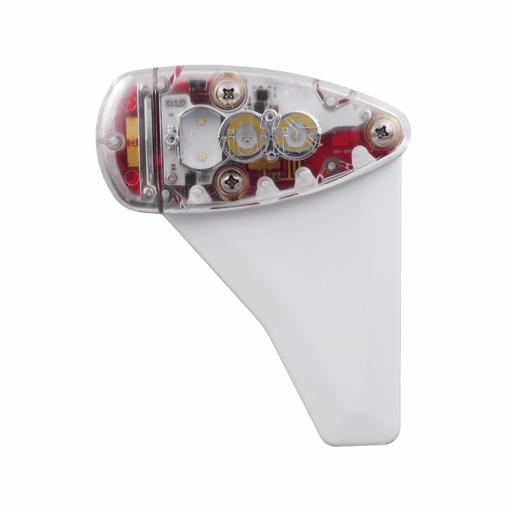
Monitor, install, and configure ADS-B devices. View device status, update firmware, and manage settings. Track aircraft position and receive alerts. Sync with compatible hardware for real-time data.
Monitor your property with live video and recorded clips. Arm or disarm security panels remotely. Control energy systems and automate functions. View real-time activity and manage security settings from an iPhone or iPad.
Control smart home devices remotely through a mobile . Set automation routines to manage appliances and security systems. Add custom programs to specific devices for tailored functionality. Adjust settings and monitor status in real time.
Control LED lamps by adding and managing them individually or in groups. Customize brightness, color temperature, and settings for each lamp. Organize lamps by rooms and set schedules for automatic adjustments.