Configure and manage devices purchased from . Set device preferences, update firmware, and monitor system status. Access support resources and troubleshoot connectivity issues.
by Invisible Computers GmbH★ 5.03 ratingsUtilitiesFreeData updated 2026-09-06
Manage internet service by selecting optimal installation locations and checking for obstructions. Set up hardware and verify WiFi connections. Monitor connectivity stats, identify connected devices, and troubleshoot issues.
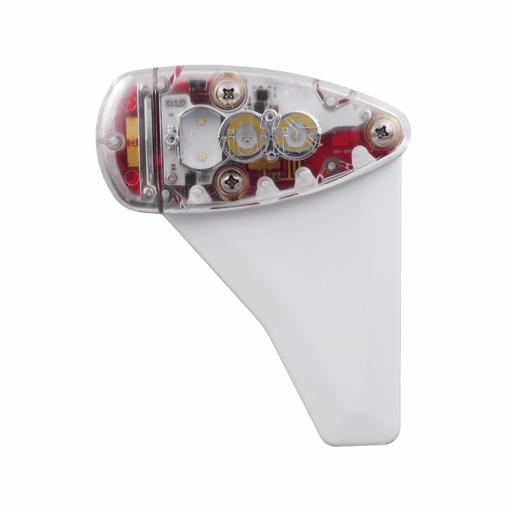
Monitor, install, and configure ADS-B devices. View device status, update firmware, and manage settings. Track aircraft position and receive alerts. Sync with compatible hardware for real-time data.
Manage Wi-Fi devices with the to add, monitor, and configure networks. View connected devices, upload/download activity, IP address, and real-time speed. Create a guest network for visitors. Adjust settings and update firmware remotely.
Wirelessly connect to System devices via Bluetooth Low-Energy. View sensor data and on-board measurements. Configure device settings including metadata, measurement intervals, and communication preferences. Test cellular connectivity.
Manage network settings, add or remove devices, and monitor performance. View coverage maps and troubleshoot connectivity issues. Receive software updates and security improvements automatically. Adjust bandwidth settings for specific devices.
Configure APS devices by setting volume, sound options, and behavioral settings. Upload audio messages and update firmware. Adjust settings for iNavigator and iNavigator S accessible pedestrian stations.
Capture and redirect HTTP/HTTPS/TCP traffic to a proxy server. Record and display HTTP, HTTPS, and DNS requests. Configure rules based on domain, IP range, or GeoIP. Track network usage and speed across different connections.
Configure network settings and advanced features of the ADJ 4 DMX Bridge wirelessly. Adjust IP addresses, update firmware, and manage device settings remotely without physical interaction.
Monitor and configure devices with real-time status updates, firmware updates, and settings adjustments. Install and manage hardware through the , compatible with echoUAT and Vektor devices.
Configure network cards and connect fitness consoles
Configure Network Cards to connect fitness consoles to the Preva cloud. Manage device settings, monitor network status, and update firmware remotely. Sync equipment data and verify connectivity through the interface.
Configure and update satellite transmitter settings
Configure and update the Satellite Transmitter settings. Adjust transmission parameters and firmware versions. Manage device connections and system diagnostics. Export logs.
Configure and manage wireless Bluetooth MIDI devices. Update firmware, rename devices, adjust Bluetooth transmit power, and set Bluetooth role to peripheral.
Configure internet connections and update firmware for MN-10 or wireless routers. Set administrator passwords and wireless SSID and passphrase for 2.4GHz and 5GHz networks. Discover devices and ensure proper settings during installation.
Manage and optimize your Fios, 5G , or LTE network. Monitor device connections, adjust settings, and troubleshoot issues. View usage data and set parental controls. Remote access to network settings and security features.