Apps Like DocuMate: Scan, Sign, PDF, AI for iPhone and iPad
Assemble files into PDF reports
Scan documents, receipts, and photos to create PDF files. Organize scanned items into reports. Share PDFs directly with others. Edit and annotate scanned content. Save scans in cloud storage. Export in multiple formats.
by Snappii Corporation★ 4.719 ratingsProductivityFreeData updated 2026-09-06
Scan documents, receipts, and notes to create high-quality PDF or JPEG files. Sign and edit documents. Use smart image editing with color correction. Scan multiple pages and organize files by date or name. Share scans via email or AirPrint.
Documents to create PDFs. Add digital signatures to finalize files. Edit text and annotations within PDFs. Share documents via email or cloud storage. Organize and manage files in a centralized library.
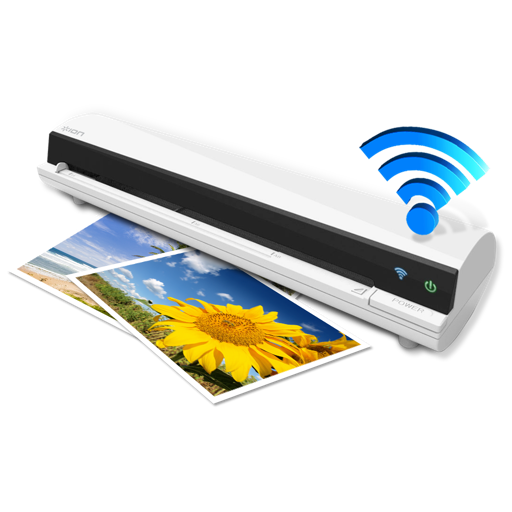
The app works with the ION Air Copy hardware, a portable Wi-Fi scanner. It scans photos, receipts, business cards, notes, and documents up to US Legal size directly to a Mac, then shares them via email or social networking.
, photos, receipts, or other materials into clear, sharp images or PDFs. Adjust color, remove shadows, and correct perspective. Save, email, print, or upload to cloud. Combine multiple scans into one PDF using batch mode.
PDF documents with digital signatures and e-signatures. Fill forms and scan documents to PDF. Share files securely. Create and contracts, invoices, and business forms directly on iPhone or iPad. No printer or scanner required.
Convert paper documents, receipts, or notes into editable PDFs with one tap. Extract text from images or scanned files for editing and sharing. Scan QR codes and convert Word files into high-quality PDFs.
Access files stored in from a mobile device. Automatically back up camera recordings and albums to online storage. Scan documents and save them as PDFs in . Backup photos and other data from the device to cloud storage.
And PDF documents to reduce file sizes by up to 90%. Choose from three compression levels and view space savings. multiple files at once. text, images, and formatting within PDFs. Save and share compressed documents directly.
Scan documents into PDF or PNG formats. Save and share files directly. Add electronic signatures with a few taps. Store scans locally without an internet connection. Edit scanned documents with cropping and text recognition.
Scan documents and detect text using OCR. Save files in PDF, JPEG, Word, or TXT formats. Share scanned documents directly. Edit and annotate scanned pages. Organize files in folders. Export as editable text or images.
Create and manage PDF documents by scanning, editing, and signing files. Extract text from PDFs and import various file types. Reorder, rotate, duplicate, or delete pages. Scan multiple pages at once with smart edge detection.
Enables scanning into high-quality images or PDFs. Users can scan certificates, credit cards, invoices, receipts, tickets, and other papers. The includes OCR to extract text from scanned items with a single tap.
Scan documents, receipts, checks, and agreements into clean PDFs. Add signatures and annotations. Share files via email or cloud services. Organize and store scanned documents digitally.
Using OCR technology to convert text into editable format. Save and organize files in cloud storage. Share scanned via email or messaging apps. Annotate and highlight text within . Export files in PDF or image formats.
Scan documents with auto-detection of borders and manual adjustment. Save as PDF or JPEG. Organize files by folder. Share scanned documents. Subscribe weekly or annually, or purchase the outright.
Convert photos and scanned documents into PDF files. Edit images with filters for black and white or grayscale. Manually or automatically crop documents. Share PDFs via email or other supported methods.
Convert documents to PDF by scanning with the phone's camera. Automatically detect and correct page edges for straight alignment. Choose full-color, grayscale, or black-and-white scan modes.