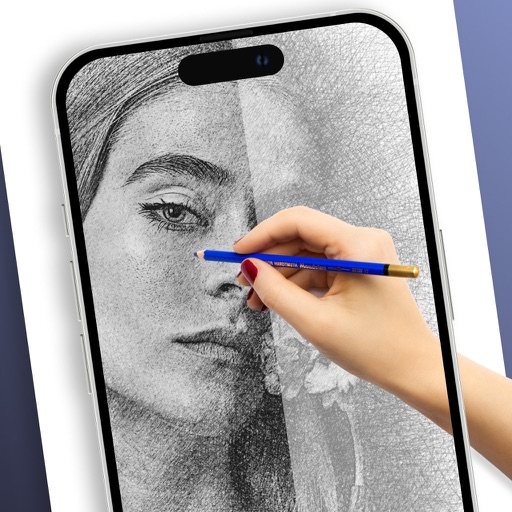
Add custom drawings to the home screen. Edit and resize images. Choose from various tools and colors. Save and rearrange icons. Share drawings via email or social media.
by Adam frankel★ 4.52 ratingsGraphics & DesignFreeData updated 2026-10-05
To cute art with step-by-step lessons. Choose from categories like smilies, food, fruits, and trees. View drawings in list or grid format. Follow detailed instructions to create each illustration. Save and share completed drawings.
Create templates using AI-generated ideas. Upload illustrations for practice. Draw and refine artwork with precision tools. Save and export designs in various formats. Share creations directly with social media.
Plus Apps Bilisim Teknolojileri Reklamcilik Limited Sirketi
Sketches with AR technology
To sketches using AR technology. Choose from various categories to practice. Follow step-by-step instructions to improve techniques. and paint directly on the screen. View animated tutorials for guidance. Save and review your artwork.
Create using and images. Add text and drawings to convey messages. Choose from five collage styles including weight loss themes. Edit and share the final collage.
Customize home and lock screens with animated that move and interact. Add pets to widgets and include info backgrounds. Interact by playing with pets and setting their behaviors.
Create collaborative art walls for special events. Invite others to add drawings, text, and photos in real time. Save and share finished creations. Edit and enhance artwork with tools like brushes, colors, and filters. Export as images or videos.
Customize home and lock screens with live wallpapers featuring animations and dynamic visuals. Choose from a variety of themes and backgrounds. Apply personalized and icons. Adjust layout and colors to match preferences.
Add to your home screen for quick access to playlists, albums, or tracks. Create multiple widget profiles with customizable layouts and appearances. Select and arrange content within each profile for easy playback and management.
Install packs with one click or design custom icons for home screen. Choose from multiple themes and prebuilt elements. Customize icons with text, backgrounds, and styles. Preview and save icons for later use. Edit and reinstall icons as needed.
Explore detailed information about including title, artist, creation date, dimensions, medium, and current location. Mark as favorites for quick access. Add customizable widgets to your home screen for easy viewing.
Convert 2D drawings into interactive 3D models using AR. Tap to animate doodles, customize appearance, and interact with creations. Share results via social media or email.
Learn to draw with step-by-step tutorials covering animals, cartoons, and flowers. Practice by tracing images or sketching freely. Save and share completed artwork.
Edit photos with cropping, filters, and adjustments. Add watermarks, logos, and signatures. Include text, stickers, and custom designs. Save and share edited images directly.
Access THE Card benefits including promotions, exclusive offers, and rewards tracking. Receive event notifications and check into drawings. View tier status and point balances. Book hotel rooms or dinner reservations. Connect with other users.
Create widgets with adjustable fonts, colors, and background images. Design and place widgets on the home screen. Modify appearance to personalize the phone interface. Share feedback or report issues via email.
Allows users to select from various categories like animals, vehicles, and foods. Users can choose colors for their drawings and erase parts of the image. Images can be sorted by category for easy access.