Turn your iPhone or iPad into a Mac with gesture support. Use multi-touch gestures for scrolling, clicking, and navigating. Customize sensitivity and button layout. Works with macOS and iOS devices.
by Hugo Lispector★ 3.739 ratingsUtilitiesFreeData updated 2026-10-03
Add grids to images with 5 types including rectangle and square options. Customize lines with RGB colors. Adjust rows and columns or set row height and column width. Export edited images.
Create photos by setting diameter in pixels, millimeters, centimeters, or inches. Import or capture photos, zoom, and move images. Edit with filters, focus, effects, and text. Adjust colored borders. Save, print, email, or share the final image.
The app allows users to access their Windows PC from an iPad or iPhone. It offers features like a trackpad for mouse control, a modifier keypad, and pinch-to-zoom functionality.
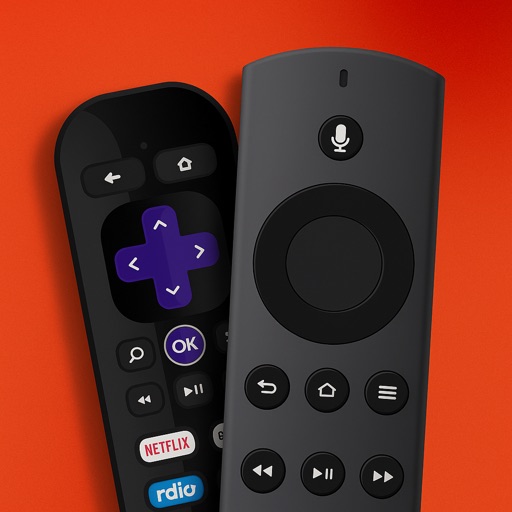
Control your TV or streaming device via the . Connect devices to the same WiFi network for automatic setup. Use a trackpad or traditional layout to navigate. Access all installed apps and channels directly.
Allows users to create and customize automated sequences within a built-in web interface. Magnifier provides zoom functionality for detailed viewing. Users can adjust intervals and repeat actions.
Automate clicks, curved swipes, and pinch gestures on web pages or games. Set custom timing and locations for repeated actions. Perform tasks requiring consistent touch inputs without manual interaction.
Convert to grayscale and highlight a specific . Tap to select the to emphasize. Preserve detail and apply effects using advanced computer vision. Export edited images directly.
Controller for TV allows users to control Stick and TV devices via Wi-Fi. It detects devices automatically, provides access to all buttons, and includes a large trackpad for navigating menus and content.
Create and edit vector drawings and illustrations. Import and export files from cloud services. Design logos, posters, and technical drawings. Use multiple windows on iPadOS. Enable dark mode for system settings.
The app provides the complete Mkhedruli alphabet with smart word suggestions and multiple layouts. It offers precise cursor control and context-aware intelligence for a native typing experience.
Control Mac applications with a wireless trackpad and full keyboard. Navigate menus, adjust settings, and manage media playback without physical hardware. Supports multitouch gestures and no-configuration control for compatible apps.
Manage your TV with a smartphone . volume, change channels, and open apps. Connect to compatible Smart TVs instantly. Adjust settings and navigate menus directly from your phone.
Control your computer with a wireless and touchpad-style from your iPhone. Type on Mac or Windows PCs, navigate with cursor movements, and use a numeric keypad for precise input. Adjust settings and manage devices remotely.