Add stickers to messages, images, or other stickers in chats. Customize photos with sticker overlays. Peel and place stickers on any surface within conversations. Share stickers with friends for collaborative editing.
by Mujahid Zafar★ 5.06 ratingsStickersFreeData updated 2026-09-06
Send and receive animated stickers in iMessage. Choose from 96 high-quality animated cat stickers. Add expressions to conversations with playful, customizable animations. Share stickers directly within messages.
Add sticker packs to WhatsApp with quotes and messages. Send stickers directly through WhatsApp without opening the . Manage and update sticker collections within the .
Apply to messages, images, or other in conversations. Peel and place them on bubbles or surfaces. Customize with text and images. Share directly within chats.
Add humor to iMessage conversations with customizable stickers. Peel and stick doodle stickers over text, images, or other stickers. Resize stickers using a pinch gesture. Share stickers directly within iMessage.
Use Stickers to enhance messages and conversations. Place stickers on message bubbles or anywhere in chats. Stick them on images. Customize size and background. Unlock all stickers with an in- purchase.
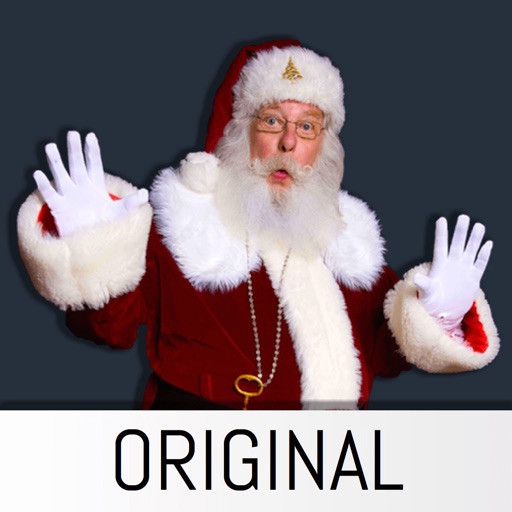
Add realistic Santa, Tooth Fairy, and Easter Bunny stickers to photos. Insert stickers into any image for personalized holiday or celebration scenes. Create custom photo cards and share edited images directly.
The app allows users to insert Santa stickers into photos. Users can create custom scenes for various holidays and events, save, and share unlimited pictures.
Decorate photos with over 400 styled stickers. Place stickers using simple and intuitive controls. Add text, filters, overlays, and frames to enhance images. Supports iPhone, iPod Touch, and iPad.
Use animated stickers to enhance iMessage conversations. Select from 96 animated Cat stickers. Include 32 free stickers with option to purchase for full access. Share emotions through unique, high-quality animations.
Use in iMessage by tapping the Store icon and selecting . Press and hold a sticker to place it on messages, images, or other . Add favorites by scrolling right, tapping "More," editing, and selecting .
Add to messages, photos, and images. Place inside bubbles or over other . Choose from 60+ themed . Include happy, sad, silly, and nostalgic expressions. Support voice labels for accessibility.
Send and receive stickers in iMessage with 124 high-resolution static images. Choose from 40 free stickers or purchase for full access. Share humorous and expressive visuals with contacts.
Send and customize animal stickers in messages. Choose from a variety of designs. Add stickers to photos or text. Share directly through social media or messaging apps.
Add stickers to iMessage conversations with pinch-to-resize functionality. Peel and place stickers on bubbles, images, or other stickers. Choose from a variety of designs to express emotions and ideas.
Add stickers and effects to iMessage conversations. Resize stickers with pinch gestures. Include Day . Place stickers over messages, images, or other stickers. Share emotions and ideas through humor and visual effects.
Add animated to iMessages featuring . Scale, rotate, and layer stickers. Place them on photos. Access additional sticker packs through the iMessage Store.
Send messages with customizable stickers. Add stickers to texts and iMessages. Access seasonal updates. Share stickers with contacts. Customize appearance.