Convert audio signals into visual representations by mapping frequencies to colors and musical notes. Display real-time patterns based on detected sounds. Allow users to explore and interact with music through visual feedback.
by Arias Software LLC★ 4.812 ratingsUtilitiesFreeData updated 2026-09-29
Techniques with guided lessons, songs, and exercises for all skill levels. Practice reading music notes and improve rhythm and pitch. Use the built-in tuner for quick and accurate pitch adjustment. Receive real-time feedback on playing performance.
Learn numbers, letters, colors, and shapes through interactive games. Play animal sounds and musical instruments like , guitar, and drums. Correct pronunciation is emphasized. Parents can use the to engage toddlers in educational play.
The app generates bass tones from 10–150 Hz to test and tune car or home audio systems. It uses pure frequencies for precise adjustments, finding rattles, and setting amplifier gain.
Record and edit with pitch shifting and key adjustment. Add backing tracks and beats. Record video with real-time audio integration. Apply effects to mimic celebrity voices. Export final audio and video files.
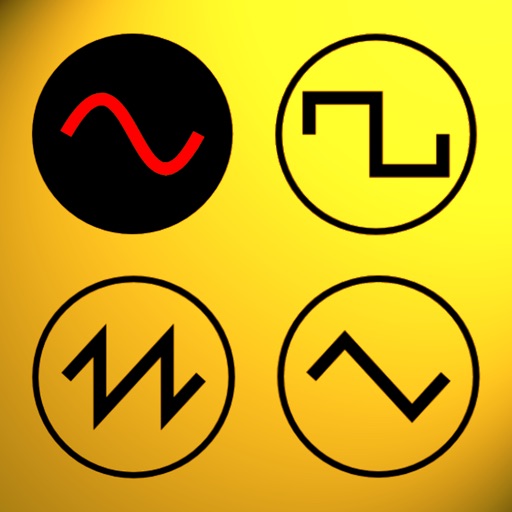
Udio tones with customizable frequency settings from 15Hz to 22KHz. Choose between sine, square, sawtooth, and triangle waveforms. Create and save custom presets. Control playback from notification drawer, lock screen, or headset buttons.
Create and customize beats with a wide range of preloaded sounds and effects. Build loops and sequences intuitively. Export tracks in various audio formats. Share creations directly to social media or music platforms.
The app provides feedback on musical exercises, helping users improve their playing. It offers modes for playing any scale, choosing specific scales, and challenging users with custom lists based on chosen syllabuses.
Adjust with real ambient sounds for stadium, arena, club, or bar effects. Select a venue, play songs, and enhance audio with -like environments. Share or save modified tracks.
Through interactive flashcards and quick drills. Practice pronunciation with audio examples and receive instant feedback. Differentiate between similar sounds and identify correct tone usage in words.
Play a point & click adventure with a simple interface. Solve puzzles and interact with drag-and-drop inventory. Explore hand-drawn animated scenes. Listen to original music and progress through a story-driven narrative.
The app allows users to create custom workout timers with unlimited intervals and up to 99 repeats. It offers visual, audible, and vibrate alarms, music access, and the ability to save programs to iCloud Drive.
Practice musical instruments from Sky: Children of the Light with interactive lessons and real-time feedback. Track progress with session history and skill levels. Adjust tempo and difficulty to customize practice sessions.
Display finger positions on the instrument with visual guides. Hear each musical note's sound. Watch live demonstrations. Access lessons for different types including F, Bb, and double .
Convert speech to rap using AI. Record flows with or without backing tracks. Share tracks on a social platform for MCs. Receive likes and feedback from other users. Sync with music genres for real-time freestyling.
Create music through hand movements, camera, or touch screen. Generate sounds with gestures, adjust pitch and volume. Save and share compositions. Sync with iOS devices for playback and editing.
Create and customize by dragging and dropping virtual instruments. Adjust tempo and effects in real time. Remix tracks by layering sounds and editing beats. Share finished compositions directly to social media.