Convert audio signals into visual representations by mapping frequencies to colors and musical notes. Display real-time patterns based on detected sounds. Allow users to explore and interact with music through visual feedback.
by Arias Software LLC★ 4.812 ratingsUtilitiesFreeData updated 2026-09-29
Customize and text tones for default and individual contacts. Play and save effects as or text tones. Organize sounds into categories like funny, loud, and prank tones. Follow on-device instructions to set custom .
The app is a musical instrument designed to play arpeggios. Users can design arpeggio patterns and control speed, pitch, volume, pitchbend, and vibrato.
Soundboard for audio professionals and DJs. Play sound effects or clips with touch gestures or keyboard/mouse. Organize sounds into sets with color coding and cues. Set fade durations, volume levels, and MIDI mappings for musical notes.
Play a game where you roll a ball through mazes while filling them with colors. Use simple controls to navigate the ball. Enjoy colorful graphics and background music. Complete mazes by covering them with .
Learn to play 7 Indian classical music notes with finger movements. Practice scales and rhythms. Record performances and listen to playback. Sync with other devices for continued practice.
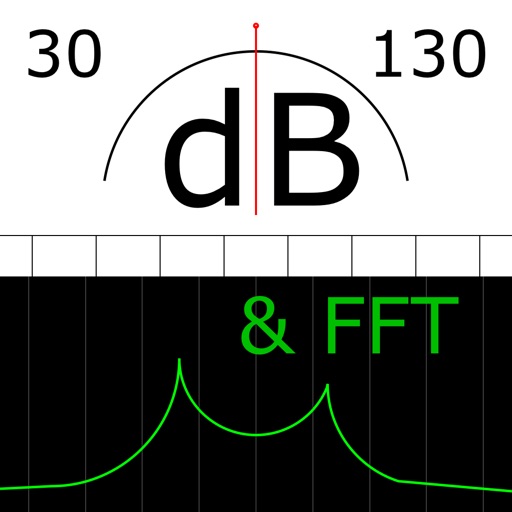
The app measures sound levels using a digital display for sound power and an analog display for fast mode. It also features real-time FFT frequency analysis with highlighted predominant frequencies and their power.
Udio signals with adjustable parameters and frequency up to 20 kHz. Create single signals, sweeps, or merged signals. Control duty cycle, frequency, and waveform type. Export generated audio files.
Create and play buzzer sounds for games or notifications. Select from normal, low, high, and ultra high frequency buzzers, dial tone, or emergency sounds. Share sounds via social media. Control sounds using Apple Watch.
Locate Bluetooth devices using real-time mapping. Tap to sound the . View last known location and signal strength. Connect via Bluetooth to trigger sound. Find smartwatches, headphones, speakers, and more.
Create loops by repeating played notes until they fade out. Adjust loop length and pitch. Layer multiple loops to build complex textures. Tap to start or stop playback. Save and share custom loops.
Identify musical notes in photos or imported files. Touch notes to hear their pitch. Repeat notes or intervals for practice. Supports JPG, PNG, and PDF formats. Designed for vocal groups and choral singers.
TunerMetro provides a for precise instrument tuning with ±0.001 semitone accuracy. It includes a with adjustable tempo and tap-to-start functionality. The features a spectrum analyzer for visual feedback during practice.
Amplify sounds using adjustable equalizer and tone settings. Adjust volume and pitch for better . Works in background for continuous use. Connect via headphones for direct audio input.
Create music by touching the screen to trigger sounds and patterns. Explore 10 distinct with unique visual and audio elements. Adjust parameters to modify sound behavior and composition. Save and share created music files.
Play rhythm-based games using finger drumming controls. Create and customize soundscapes with a variety of instruments. Relax with calming music and meditative soundtracks. Track progress and unlock new musical elements.
Analyze text messages for red flags and suspicious behavior. Identify patterns and potential deception. Provide insights and alerts based on AI analysis. Help users assess relationship dynamics through message evaluation.