Convert audio signals into visual representations by mapping frequencies to colors and musical notes. Display real-time patterns based on detected sounds. Allow users to explore and interact with music through visual feedback.
by Arias Software LLC★ 4.812 ratingsUtilitiesFreeData updated 2026-09-29
Train musical skills with interval, chord, and progression recognition exercises. Customize training sessions. Set practice goals and track progress. Receive instant feedback on answers. Export results for review. Sync progress across devices.
Tune low-frequency instruments with precision. Detect and adjust guitar, double , cello, and other -range instruments. Use a chromatic scale for accurate tuning. Adjust pitch in real-time. Save and recall custom tuning settings.
Play piano melodies by tapping on-screen keys. Access a library of preloaded songs. Follow along with visual feedback. Adjust volume and playback speed. Save progress and replay sessions. Share performances via social media.
Play -based duels by matching notes to music. Compete in multiple tracks with different storylines and characters. Score points by hitting notes precisely. Unlock scratch picture games and humorous sound effects.
Create and manipulate audio using a unique -based effect. Adjust parameters to shape sound. Export modified audio files. Integrate with digital audio workstations for music production.
Identify beats 1 to 8 using audio fingerprinting. Visualize real-time rhythm and timing. Sync with audio to practice precise dance steps. Track progress and adjust timing based on detected beats.
Create and manipulate polyrhythmic MIDI patterns with visual feedback. udio using five selectable sound types. Transmit MIDI data to compatible devices. Control patterns through intuitive interface with adjustable parameters.
Record audio during paranormal investigations with adjustable sweeping speeds and custom channel scanning. Play preloaded sound files for EVP testing. Save and review recordings directly on the device.
The app generates unique, beautiful, and hypnotic visuals from any music source using the microphone. It supports all native resolutions, including Retina displays, and offers TV Out support.
Practice with animated beat patterns that align with traditional musical tempo indicators. Track progress within the beat using visual cues. Adjust tempo and observe rhythmic patterns without mechanical clicks.
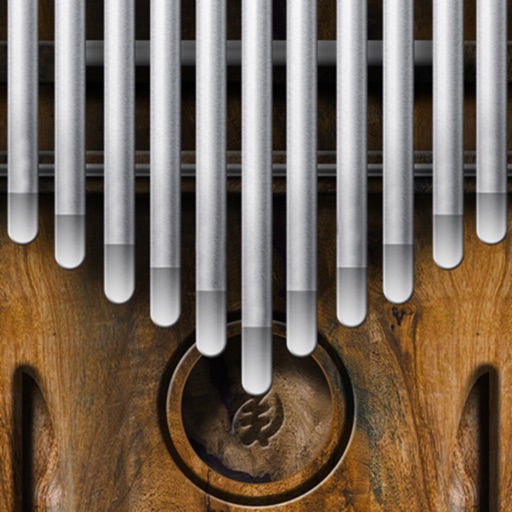
Play a simulator by sliding fingers over tines to produce multiple notes simultaneously. Adjust pitch and volume. Visualize tine vibrations in time. Save and share custom compositions. Sync with music apps for playback.
Create beats and melodies using drum kits, synths, and melodic instruments. Sample audio via phone microphone. Edit MIDI sequences and export tracks to Live. Explore sound libraries and experiment with effects. Save and share musical ideas directly.
Practice chord progressions by setting for each bar and playing them on the keyboard. View chord tones and sounds in real time. Play full songs with multiple bars. Track chord patterns for pop and jazz music.
Allows users to tune instruments with a chromatic tuner that detects pitch quickly and tracks low notes. It displays LED and cent readings for precise tuning. Users can set reference tones for ear training.
Detects and displays real-time BPM during live performances. Tracks individual and group tempo accuracy. Allows post-performance analysis to identify and refine timing issues. Records and reviews session data for improvement.
Explore musical terms and phrases from multiple dictionaries containing over 9,000 entries. Search for definitions, examples, and usage in songs. Save favorite terms and organize them into custom lists.