Edit photos by adding consistent spacing for a uniform appearance. Select images from the photo library, apply filters, crop, and resize. Adjust spacing with a slider and preview on a mockup. Choose from multiple background colors.
by Thomas Lojko★ 4.810 ratingsGraphics & DesignFreeData updated 2026-09-27
Create animated stories with customizable , colors, and sizes. Add in multiple languages and apply animations. Include a variety of stickers and share finished stories directly.
Enhance photo clarity with AI-based unblurring and quality improvement. Restore old photos by removing noise and sharpening details. Adjust brightness, contrast, and color balance. Export enhanced images in various formats for social media or print.
Apply real-time or post-processing effects like VHS, , CRT, and chromatic distortion to photos and videos. Adjust flickering overlays and vintage shaders. Export edited content in various formats and share directly.
Allows users to transfer images to a surface using a . Features include square divisions, perspective distortion for anamorphic images, and support for both iPhone and iPad with Dark Mode. Users can apply distortion to images and export them for .
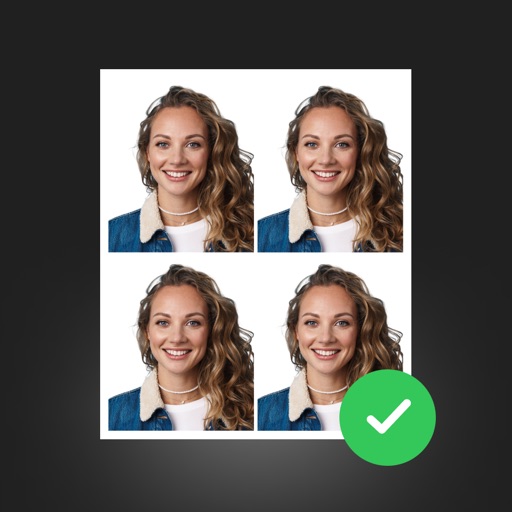
Create professional ID photos with AI tools. Automatically detect faces and remove backgrounds. Resize and crop portraits to fit official sizes. Support multiple countries' requirements. Generate printable -sized images for children and adults.
Edit photos by selecting images from the library and using an adjustable brush tool to mark areas for removal. The employs inpainting algorithms to seamlessly eliminate unwanted elements and blend the background.
Edit photos with skin smoothing and whitening features. Adjust enhancement levels from 1 to 8. Apply 12 unique filters for enhanced selfies. Add makeup tools for detailed facial enhancements. Save and share edited images directly.
Edit photos with cropping, brightness adjustment, and color correction. Apply filters and beauty tools to enhance skin tone and remove blemishes. Save and share edited images directly.
Add text to photos and videos with customizable fonts including handwriting, fancy, girly, and stylish options. Crop and resize media in various aspect ratios such as 1:1, 9:16, and YouTube Art.
Add watermarks, text, signatures, and stickers to photos. Choose from symbols, trademarks, and social icons. Customize designs with logos and graphic elements. Save and share edited photos directly.
Edit and enhance photos using AI-powered tools to create -quality headshots. Adjust lighting, background, and composition. Remove unwanted elements and apply stylistic filters. Export in high-resolution formats and share directly.
Create social media content using editable templates. Choose a template, add a photo, and customize the design in a few clicks. Preview templates by long-pressing in the main menu. Share stories or posts directly.
Create invitations for weddings, parties, birthdays, or holidays using customizable templates. Edit text, add images, and adjust layouts. Share invitations online or via email.
Edit images with filters, effects, and background erasing. Add , stickers, and shapes to . Use layers for advanced editing. Access a large font library and sticker collection. Create flyers, posters, and social media content.
Create pixel art with layer editing tools including alpha sliders, hide options, copy, and merge down. Animate with onion skinning, alpha controls, and live preview. Export as PNG, GIF, or JPG with support for animated GIFs and sheets.