Track work hours and create professional sheets for clients. Edit entries manually or use Apple Shortcuts to automate via Siri, location, or NFC tags. Export and send sheets directly to customers with a few taps.
by Karl Ludwig Weise★ 0.00 ratingsProductivityFreeData updated 2026-09-27
Track work by entering start and end times daily. Deduct break for accurate logs. View daily work summaries and weekly totals. Calculate earnings based on hourly rate. Access historical work and pay records. Export sheets as Excel or CSV files.
Manage and automate workflows using no-code tools. Create task lists, set deadlines, and assign responsibilities. Track progress with customizable views and dashboards. Integrate with other business apps and share sheets with team members.
Track hours with real- -in and -out. Manage employee schedules and approve timesheets. Generate reports and export data. Integrate with payroll systems. Eliminate paper timesheets and reduce administrative tasks.
Track spent on tasks to identify inefficiencies. Log activities and set goals to improve productivity. Generate work sheets and analyze progress over .
Create automations by connecting apps and services. Trigger actions based on specific conditions. Receive notifications and use location-based features. Access widgets for quick task management. Sync with smart devices and other platforms.
Track working hours, breaks, and project details automatically. Log notes and generate detailed reports. Create invoices and manage tax reporting. Sync across devices and share logs with clients or teams.
Create and edit spreadsheets with formatting options, data entry, sorting, and formula support. Collaborate in real-time with others on the same document. Save automatically and open Excel files. Work offline and share spreadsheets for team editing.
Record working hours and project times online with real- . Log entries quickly, generate timesheets automatically, and create custom reports to analyze project profitability. Set up employee accounts to track individual and team usage.
Create custom automations or use built-in actions across apps like Calendar and Camera. Add Home Screen for quick tasks. nimated GIFs and convert web pages to PDFs. Automate repetitive actions through voice commands or integrations.
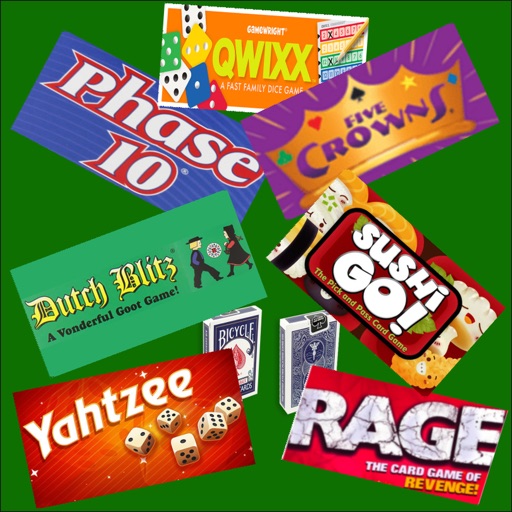
Track scores for multiple games with shared scoring and customizable player settings. Add or remove users, set dealer order, and view game requirements. Share game codes to play with friends without paper or sheets.
Manage job postings, track work orders, and oversee workers' tasks remotely. Approve or reject work items. View time sheets and expense sheets. Access the My Workers Dashboard to monitor pending activities and ensure timely approvals.
Create call sheets and automate time cards. Fill out W4 and W9 forms. Schedule work days and manage crew members. Receive direct deposits. Track payroll and manage production tasks in one platform.
The app provides employee time tracking and shift scheduling with GPS verification. It allows modification and review of timesheets, data export for payroll, and real-time shift creation for remote or on-site staff.
Manage tasks and projects with customizable boards, drag-and-drop scheduling, and team collaboration. Assign tasks, set deadlines, and track progress. Integrate with calendars and email. Share files and comment on updates in real time.
Teachers can scan and grade multiple choice tests, quizzes, and assessments using their device's camera. Export results in PDF and Excel formats. Organize and report grading data. Generate free answer sheets in various sizes and formats.
Track habits, events, and personal metrics with customizable counters. Set reminders, analyze progress over time, and sync data with Siri, Shortcuts, and Google Sheets. Export and share tracking results.
Record with timers that support breaks and pauses. Track pay including tips, mileage, and adjustable earnings. Start, stop, or pause timers at any . Set job locations for clock in/out reminders using geofencing.
Track work hours with a cross-platform tracker that supports cloud sync via OneDrive, Google Drive, Dropbox, iCloud, or WebDAV. Start, pause, and stop via widget, notification, or geofence. Organize, analyze, and export logs. No ads or subscriptions.
The app helps users measure where their time goes to reduce time-wasting tasks. Users can improve habits and see actual results, making timesheets easier and boosting productivity.
Add tasks quickly and mark them as complete with a double tap. Set reminders for important items. Automate recurring tasks with weekly, monthly, or yearly repeats. View completed tasks and manage priorities without complex settings.