
SAP Fieldglass Manager Hub
Manage job postings, seekers, and work orders
SAP SE
iPhone Screenshots


Description
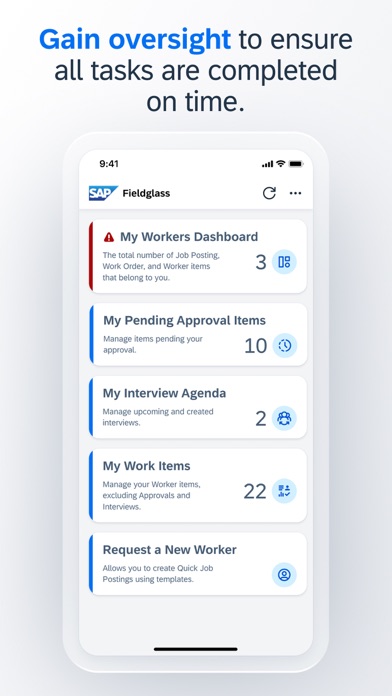
Manage job postings, track work orders, and oversee workers' tasks remotely. Approve or reject work items. View time sheets and expense sheets. Access the My Workers Dashboard to monitor pending activities and ensure timely approvals.
With the SAP Fieldglass Manager Hub mobile app for iPhone and iPad, customers can access the My Workers Dashboard in their SAP Fieldglass application remotely and perform frequently used actions for managing job postings, job seekers, work orders, and workers anywhere and anytime.
Key features of SAP Fieldglass Manager Hub for iOS:
• Gain oversight of your workers to ensure pending activities, time sheets, and expense sheets are completed and approved on time
• Approve or reject work items
• Shortlist job seekers and schedule interviews
• Hire workers and create work order revisions
• Create Job Postings
Note: To use SAP Fieldglass Manager Hub with your business data, you must be a user of an SAP Fieldglass solution, with mobile services enabled by your IT department. You can try out the app first using sample data.