Perform reverse number lookups to identify callers. Enter a number to retrieve associated names or location details. Supports US and Canadian numbers with a +1 country code. Accuracy varies based on available public data.
Track assignments, plan sessions, and manage deadlines
Create and manage daily schedules with smart class scheduling. Track homework and assignments with due dates. Set reminders for exams and deadlines. Organize extracurricular activities and events. Sync calendars across devices.
Create 3D scenes with multiple characters or simple shapes to visualize sketch outlines. Generate storyboards via screenshots or frame comic book illustrations. Adjust light and perspective for anatomically accurate figures.
Find and save reference poses for drawing characters. View poses from different angles, adjust them, and save images. Support for VRM file reading and stick figure creation.
Crop and rotate images into various shapes. Add text, arrows, and shapes for annotations. Pixelate sections or draw freehand. Share edited photos directly with contacts.
Scan and create QR codes and barcodes. Preview scanned data including URLs, phone numbers, emails, and locations. Batch scan multiple codes. Share scanned results. Create QR codes for URLs, phone numbers, emails, and locations. Generate barcodes.
Plan trips by selecting departure and arrival stations, and timetable type. View full timetables, service alerts, and system maps. Find all matching train options with schedules and directions.
Edit photos by removing objects with a magic eraser and auto-cutout tools. Adjust colors, apply filters, and enhance details. Save and share edited images directly.
Print multiple photos on a single page by selecting images and defining individual print sizes in millimeters, centimeters, or inches. Choose a printer and start the process.
Clean up iPhone and iCloud by removing duplicate photos, videos, and large files. Automatically detect and delete unused data. Free up space and maintain capacity.
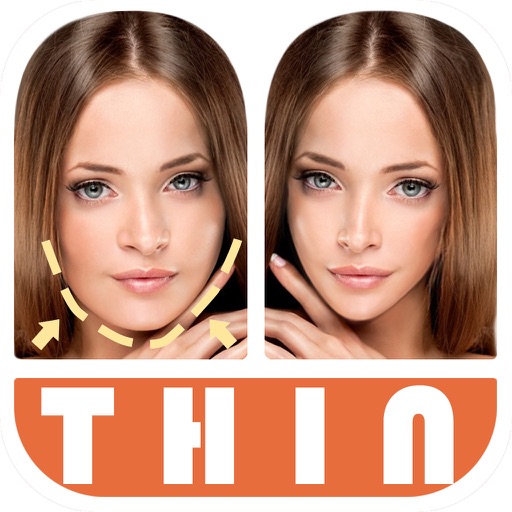
Edit photos by automatically detecting faces and adjusting body shape in four modes: , head, body, and manual. Apply changes to photos from the or library and share the edited images.
Organize , set reminders, and manage schedules across devices. Create recurring events, prioritize , and sync calendars. Access advanced scheduling tools and customize workflows for daily productivity.
Check internet speed and IP address details with one click. Encrypt online traffic for security. Verify connection details when using Wi-Fi. Analyze IP information for accuracy. Monitor network performance and protect data transmission.
Create photos by setting diameter in pixels, millimeters, centimeters, or inches. Import or capture photos, zoom, and move images. Edit with filters, focus, effects, and text. Adjust colored borders. Save, print, email, or share the final image.
Pofi Entertainment Shenzhen Network Technology Co.,Ltd
3D scenes with assets and lighting
3D art with character, animal, and scene assets. Adjust camera angles and lighting settings. Use motion tools for animation. Simplify perspective and composition with intuitive controls. Export sketches and finished works.
Allows users to open and navigate PDF documents. They can highlight text, add , and organize annotations. Users can search within documents and bookmark pages. Export and as files. Share documents and annotations with others.
Resize videos to custom aspect ratios. Crop, rotate, and adjust dimensions. Add background blur, gradients, or solid colors. Include animated text and emojis. Export videos for Instagram, Twitter, Facebook, Pinterest, and YouTube.
Calculate quantities including tons, linear feet, and sheets or rolls of mesh based on project dimensions and selected sizes. Adjust lap lengths and configure mesh types for accurate results.