Apps Like White Background Frame for iPhone and iPad
Photos and adjust layouts
And edit photos with customizable size formats. Choose from square, portrait, or landscape. Add photos from the library and adjust their position, rotation, and size. Use the adjustments tool for precise edits.
by Thomas Lojko★ 4.6699 ratingsPhoto & VideoFreeData updated 2026-09-22
Create collages with customizable layouts in various aspect ratios. Adjust margins, padding, and corner angles for precise design. Choose from 60+ backgrounds and 100+ layouts to personalize photos. Export and share finished collages.
Create custom pet portraits using AI-generated styles like king, astronaut, or angel. Choose from high-quality backgrounds and props. Add stickers to highlight your pet's personality. Share finished portraits directly.
Add multiple decorated texts to photos with various fonts and styles. Adjust color, size, and font name. Add outlines and shadows. Resize, rotate, and position texts freely. Save edited photos directly.
Capture photos and videos using voice commands. Take a photo, start or stop video recording, reverse the , and enable or disable the flash. Voice recognition works offline on iOS 13 and higher. Configure custom phrases for commands.
Browse artwork, download images, and display photos
Browse and download artwork, paintings, and photos for Samsung TV or Hisense CanvasTV. Access integrated libraries from Smithsonian, Wikimedia Commons, and Unsplash. and adjust images to fit borderless displays. Share or save edited photos directly.
Take photos using the camera or import images from the camera roll. Apply packs, filters, light leaks, and frame borders for instant effects. Edit photos in the in- Photo Lab with customizable adjustments. Save and view processed images within the .
Edit photos with filters, select and apply Independence Day , add text with customizable font style and size. Share edited photos via social links. Set color options and arrange images in sets.
Using AI to create depth in photos. Upload images from the camera roll. Select or mode. Apply customizable effects including default, radius, motion, zoom, box, surface, and bokeh. Adjust settings for precise results. Export edited photos directly.
Enhance and restore old photos using AI image processing. Adjust clarity, color, and brightness. Remove blur and repair damaged areas. Convert black and white photos to color. Export edited images in various formats.
Use live camera, photos, and videos as media sources. Stream video content. Remove with chroma key and spill suppression. Erase backgrounds and skies using AI. Replace erased areas with built-in backgrounds or textures. Blur backgrounds with AI.
Set up the to take multiple photos automatically. Choose poses and angles. Capture high-quality images with professional lighting and composition. Edit photos directly within the . Share finished images to social media platforms.
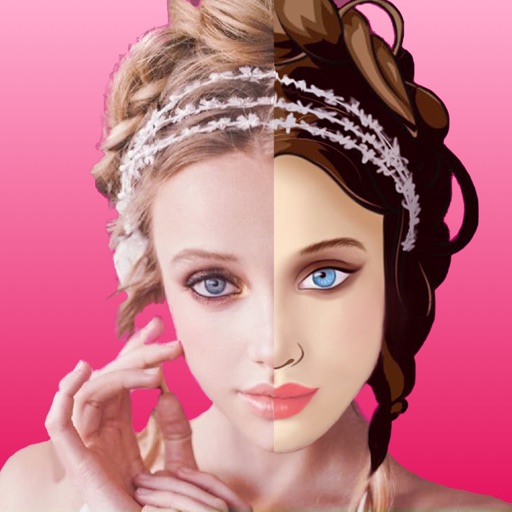
Create videos and photos with AI-powered filters and effects. Apply 200+ styles including anime and cartoon. Generate studio-quality content with one tap. Edit and export videos and photos directly.