Apps Like White Background Frame for iPhone and iPad
Photos and adjust layouts
And edit photos with customizable size formats. Choose from square, portrait, or landscape. Add photos from the library and adjust their position, rotation, and size. Use the adjustments tool for precise edits.
by Thomas Lojko★ 4.6699 ratingsPhoto & VideoFreeData updated 2026-09-22
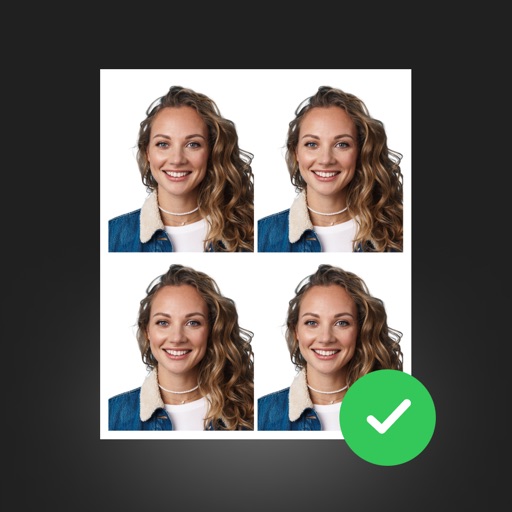
Create professional ID photos with AI tools. Automatically detect faces and remove backgrounds. Resize and crop portraits to fit official sizes. Support multiple countries' requirements. Generate printable -sized images for children and adults.
Arthur Eduardo Skaetta Alvarez Desenvolvimento de Software LTDA.
Select frames and export -res photos
Select a and scroll through frames to capture a - image. Export the selected frame in original resolution or HEIC format for smaller file size. Share the image directly from the .
Remove backgrounds from photos using automatic eraser with machine learning. Identify and isolate people, animals, vehicles, and objects. Erase single-color backgrounds for chroma key effects. Manually adjust erased areas for precision.
Add to videos by selecting a from the photo album, choosing an audio file, setting the audio start time, and merging the and audio. Share the combined clip directly to social media platforms.
Edit photos to closed eyes using AI technology. Change eye colors with a variety of options. Swap eyes between individuals in portraits. Adjust and enhance eye details for artistic or corrective purposes. Export edited images in standard formats.
Edit photos with resizing, cropping, and options. Add text, polaroid frames, and stickers. Generate square, landscape, or portrait images for social platforms. Export and share edited photos directly.
Enhance photos with AI-powered adjustments. Improve facial details and skin texture. Remove scratches and restore old images. Compare before and after edits. Save and share edited photos.
Create videos by merging Live Photos, stills, and videos. Add titles, music, and customize pre-made "On This Day" projects. Automatically import Live Photos and panoramas. Share in five aspect ratios. View suggested projects based on recent photos.
Export Photos as GIF, , or still images. Customize GIF settings including resolution and frame rate. Batch export multiple Photos with consistent settings. Limit GIF file size for social media. Export single frames from Photos.
Edit photos by flipping or mirroring with a finger swipe. Resize images using the same gesture. Create mirrored copies next to original photos. Save and share edited images directly.
Add text to photos with caption, bubble, and thought bubble options. Choose from 6 free frame styles and multiple caption designs. Adjust text size, position, and appearance.
Convert videos into Live Photos with editing tools for trimming and adjusting effects. Save creations to the photo library and share via social media or messaging apps. Premium subscribers get unlimited GIF saves and ad removal.
Take selfies or select from the photo library. Apply single-tap filters for self-portraits. Save photos and share to Twitter or Facebook. Includes self-timer and professionally designed effects.
Apply masks to photos by selecting from over 50 options. Adjust mask position and size. Crop or scale the photo freely. Save and share the edited image.
Resize and crop images for specific dimensions and resolutions. Adjust colors and metadata accurately. Batch process multiple files with customizable workflows. Export in various formats for social media, printing, or projects.
Photos and videos with customizable icons and themes. Set up fake passwords and receive break-in alerts. Edit and play media within the . Backup content securely to the cloud. Protect sensitive content with a private .
Edit photos with effects to preview past or future appearances. Apply cartoon filters for artistic effects. Add stickers and costumes for creative customization. Share edited images directly.