Find and save reference poses for drawing characters. View poses from different angles, adjust them, and save images. Support for VRM file reading and stick figure creation.
by KAZUMASA KAWAZURE★ 4.0107 ratingsUtilitiesFreeData updated 2026-09-20
And create sketches or doodles with customizable colors and typography. Use pencil, pen, or brush tools. Choose from textured, staff, grid, or blank backgrounds. Share through any phone program. Vote for improvements.
Access a complete database of summits worldwide. View locator, WAB, OS Grid reference, and coordinates. Search by town, state, summit name, or number. Sort and filter results. Display distance, heading, and summit details.
The app calculates areas of uploaded images by allowing users to set a drawing scale before outlining a shape's perimeter. It supports multiple drawing layers for summing areas and displays results in imperial and metric units.
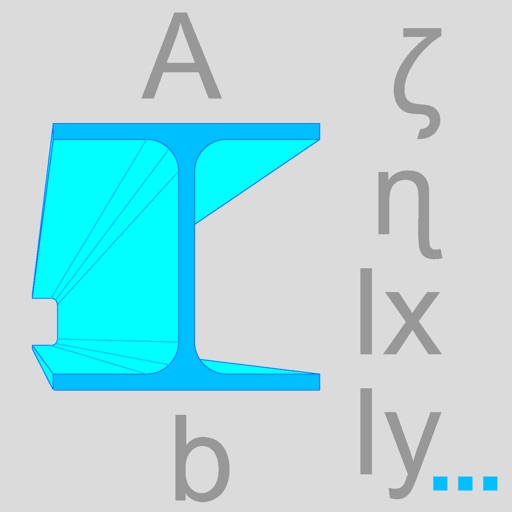
The app provides reference data for American and European steel profiles, including weights, dimensions, and section properties. It also offers a beam sizer, calculation process, formula viewer, and supports multiple languages and unit systems.
The app offers over 9,000 dictionary and encyclopedia entries with more than 20,000 links to Bible references. It includes dozens of Bibles in multiple languages, search, and browse tools, with customizable text size and color.
And edit with drawing tools, text, and photo insertion. Adjust text formatting, color, and effects. Resize and rotate text and images. Save and share creations via social media apps.
Edit photos with paint and drawing tools, blemish removal, and image enhancement features. Add text and stickers. Export and share edited images directly.
Words, characters, sentences, and paragraphs in any text. Display file size in UTF-8 and estimate reading time. Identify frequent words and analyze text structure for editing or writing purposes.
Record notes, find Bible references, track visions
Record and organize words, visions, and dreams. Use AI to find biblical references and identify patterns. Set reminders and sync notes across devices. Access terms of use and privacy policy in-.
The app converts typed text into speech using device voices. Users can select a voice, adjust pitch and rate, and save the audio output to a file for sharing.
Identify art and antiques from photos using AI. Access museum collections for reference. View value ranges and adjust for condition. Create marketplace listings quickly. Save items to a personal library.
The app offers basic drawing tools for quick creation and image manipulation. Users can add text, resize, rotate, flip, crop, and combine images, with full undo/redo support.
Draw with a brush that adjusts width based on finger movement speed. Create Japanese calligraphy or watercolor paintings. Select or capture background images. Save or export drawings to other apps.
Find and save trending hashtags for Twitter, Instagram, and TikTok. Generate relevant hashtags based on keywords. Track performance and adjust strategies. Share hashtags directly to social media platforms.
Read from web pages and adjust speed between 0.1 and 2.0. Copy from web pages. Save as a txt file. Share with other apps. Enable via Safari Extensions preferences.