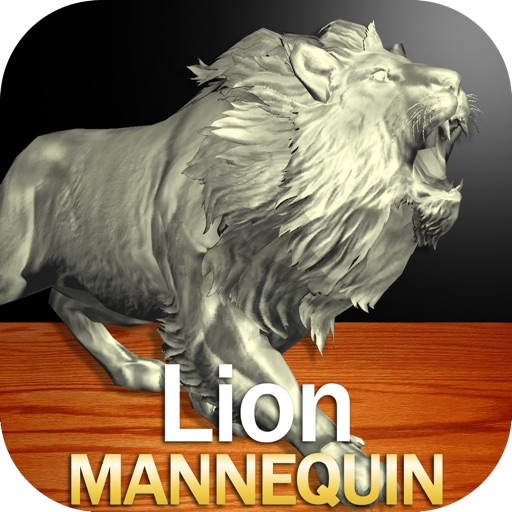
Draw a in any pose by adjusting joints and limbs. Use poseable models and reference tools for accurate positioning. Apply skins for detailed textures. Customize camera angles and backgrounds.
See color values in real-time using the camera or convert photos to grayscale. Measure lightness of specific points. Apply grayscale filters for sketching. Helps with grayscale art and contour line practice.
Measure angles by placing the device on the desired surface and adjusting two lines to align with the angle's sides. Display degrees in real time without needing photos or overhead placement.
Identify surgical instruments using AI-powered SmartScanner by scanning barcodes, SKUs, or taking photos. Search a catalog of over 3.5 million instruments for detailed descriptions, IFUs, and notes.
Explore histology with zoom, annotations, and tissue descriptions. View 3D models for detailed anatomy. Take and review quizzes. Access AI analysis for slide interpretations. Join a community for discussions and feedback.
Read PDFs and websites with text-to-speech functionality. Adjust speech rate up to 8x speed. Listen to content in the background. Organize files into unlimited folders. Import content from websites and files. Scan documents using the camera.
The app allows users to create interactive presentations and demo videos. It offers features like freehand sketching over live video, adding pictures and shapes, and picture-in-picture recording.
Capture photos of the moon by aligning the camera manually. Adjust moon size with two fingers. Tap to autofocus or manually adjust focus. Modify brightness using +/- buttons for better detail. Press the circular button to take a photo.
Identify rocks, crystals, and minerals using camera or gallery photos. Access detailed information about each item including composition, formation, and properties. Save identified items to a personal collection.
Learn letters and shapes by touching and flicking on-screen items. Resize letters and shapes by pressing. Record custom voices for letters and shapes. Add personal images and captions. Allow children to record their own voice.
Access fluorescence microscopy resources including image galleries, protocol details, and material lists. View full-screen images with descriptions and spectral data. Share images easily and provide feedback through an in- button.
Capture attendee contact information by scanning badges with the device camera. Add notes and qualifying questions. View, print, or export data to a CRM or other application.