Simulate the ANS synthesizer by drawing spectrograms to create music. Adjust parameters like pitch, amplitude, and envelope. Play back compositions and export audio files. Learn about the history and unique capabilities of the ANS instrument.
by Alexander Zolotov★ 4.858 ratingsMusic$5.99Data updated 2026-10-09
Create and manipulate sounds using a 16-voice polyphonic . Visualize and navigate sound design through X, Y, and Z axes. Adjust wavetables and vectors for dynamic sound shaping. Save and recall presets for custom sound configurations.
Create and play music with a 64-voice virtual analog and PCM . Access 500+ presets from various artists. Adjust filters, envelopes, and modulation parameters. Save and recall custom patches. Export audio files and share directly.
Record using the device’s microphone and play it back forwards or reversed with a tap. Adjust playback speed from 0.5x to 2.0x and modify pitch by half tones across two octaves.
Create and perform music with audio and MIDI recording. Use performance tools like repeat, roll, swing, and scale-based chord generation. Edit tracks, arrange sequences, and export final mixes. Sync with external hardware and software instruments.
Stream live broadcasts from Inter, Info, Culture, and other networks. Access on-demand podcasts and music. Follow live events and news. Search for specific programs and genres. Save favorite episodes for offline listening.
Create and play music with virtual instruments including pianos, basses, guitars, drums, and synthesizers. Use Chord Pads to build harmonies. Record performances and export audio files. Share creations directly from the .
Create drum sounds and synthesize vocals using a 24-part sound engine. Use a pattern sequencer to arrange beats. Apply effects including a Phrase Vocoder that converts text to vocal-like sounds. Adjust vocal characteristics such as gender.
Create soundscapes and melodies by moving fingers on virtual pads. Play polyphonic music with expressive control. Generate unique sounds between glockenspiel and jaw harp. Perform drumming and shaking actions.
Record and play files. Edit with cut, copy, paste, trim, fade, and silence insertion. Normalize and reduce noise. Adjust tempo, speed, and pitch. Use a 10-band equalizer and compressor. Split vocals and accompaniment. Remove reverb and clean voice.
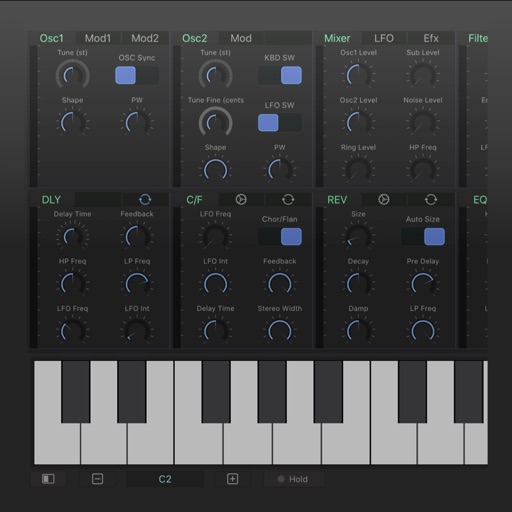
A synthesizer with 16 voice polyphonic capabilities. Users can create sounds using two oscillators per voice, adjust ADSR envelopes, apply filters, and control amplification. Includes effects, a sequencer, and audio visualization.
The app converts video to sound for transmission and sound back to video. Users can set the color palette and record the output to an animated GIF file.
Play virtual with 1300 looped samples and 4 velocity layers. Include key-on and key-off sounds for realism. Use Audiounit support, iOS Universal compatibility, and Audiobus integration for audio routing.
The app provides a real-time visual representation of sound and music, showing pitch and frequency on a MIDI piano roll. Users can slow down or stop audio to analyze sound patterns and their correspondence to musical notes.
Create and edit sheet with tools. Add lyrics and playback compositions. Export scores in various formats. View and organize sheets for practice or performance. Learn theory through interactive features.