
iPhone Screenshots



Description
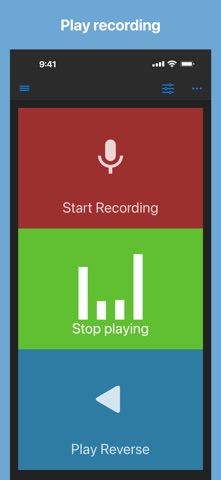
Record using the device’s microphone and play it back forwards or reversed with a tap. Adjust playback speed from 0.5x to 2.0x and modify pitch by half tones across two octaves.
Record, listen, and reverse your audio with just a tap!
Easily record audio from your microphone and play it back forwards or in reverse.
How it works:
1. Record sound using your device’s microphone
2. Play the recorded audio normally or reverse it for a unique listening experience
Perfect for fun, creative projects, or audio experimentation!
When playing audio, you can change
- playback rate (Range: x0.5 to x2.0)
- pitch by a half tone (Range: -2 octave to +2 octave)
This app can import an audio file from other apps by share action or from Files app.
Supported files: wav, mp3, mp4, m4a, aifc, aiff, caf, flac
Saved audio files are also accessible from Files app:
Files app -> On My iPhone/iPad -> Reverse Play -> Audio
Enjoy!
If you have suggestions to improve, just rewrite a review.
I will do my best!