Take photos with real-time filter previews and manual or auto exposure modes. View EXIF and location data with map integration. Save favorite filters for quick access. Share photos directly. Control camera via Apple Watch using BLE connection.
by Leung Man Ho Thomas★ 0.00 ratingsPhoto & VideoFreeData updated 2026-09-16
Capture photos with location-specific filters tailored for Indonesia, Tokyo, Okinawa, and Saipan. Edit images using special color tones designed by a travel photographer. Save and share edited photos directly.
Convert photos and videos into animated anime style in real time. Apply filters instantly with zero frame lag. Capture and save transformed images or videos directly from the camera.
Take photos in landscape or portrait mode or select from the Camera Roll. Adjust the size and position of the animated on the image. Watch the sprinkle dust and fly around the photo instantly. Upgrade to save the video version.
Take photos with continuous focus and exposure adjustment. Use horizontal detection for natural shots. up to 144x during or after shooting. Trim images before saving. Import photos from the library. Quick launch via widget.
Adjust camera settings including exposure, focus, and white balance. Control shutter speed and ISO manually. Preview and review photos instantly. Save and share edited images directly.
Capture photos and videos with real-time filters applying effects during recording. Adjust filter position by tapping, swiping, or pinching. Edit videos with multiple filter styles ranging from funny to artistic. Share edited content directly.
Edit photos with filters, presets, and effects. Add text and stickers. Explore curated locations and maps for photography. Share edited content directly. Sync with social media platforms.
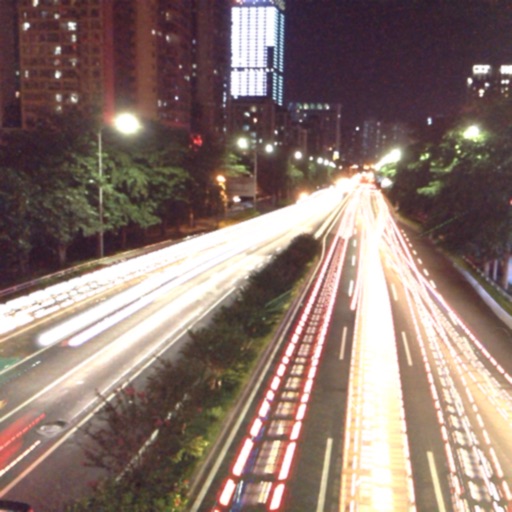
The app captures photos using slow shutter speed effects to create light trails and streams. Users can control exposure time and focus for motion blur photography.
The app allows users to control a Raspberry Pi camera module using an iOS device. Users can adjust exposure modes and apply special effects to still images, previewing and saving them to both the iOS device and the Raspberry Pi.
Edit photos with film filters, manual date adjustment, and flare effects. Choose 16:9 or 4:3 aspect ratios. Apply film burning effects and export in various formats.
Take with customizable filters for character, scene, mood, scenery, food, and black and white. Add handwritten signatures for personalization. Apply blur and dark angle effects. Share directly to social networks.
Edit photos by applying 40+ overlay effects and adjusting transparency. Add light effects for enhanced visuals. Save edited photos and share them directly.
The app allows users to control their SPCA6330 based video recorder using smart devices. Users can perform actions like remote viewfinder, preview, photo album viewing, setup, taking photos, recording, file management, and playback.
Edit photos using 300+ Lightroom for iPhone, including Portrait, Cinematic, Natural, Retro, and Instastyle filters. Apply instantly or export to Lightroom. Preview and organize across multiple categories.
Watch live footage from 4.0/5.0 via . Start and stop recording. View and download videos to device. Share videos directly. Control camera settings remotely. Connect to camera on iOS device.
Access files from an iPhone via any device on the same WiFi network. View photos, play songs, and watch videos through a web browser without installing additional software.