Create 3D images using one or two devices. Capture photos simultaneously with two devices. View 3D images by crossing eyes. Includes tutorial for cross-viewing technique. Preview 3D images before finalizing. Share 3D photos directly.
by Kevin Anderson★ 4.851 ratingsPhoto & VideoFreeData updated 2026-09-15
Sort pictures by popularity, recency, and votes. Preview thumbnails for quick browsing. Save images as iPhone wallpapers. Swipe to navigate through photos. Share pictures with friends.
Apply infrared-style filters to photos for a surreal, desaturated look. Adjust color balance and contrast to enhance the film-like effect. Share edited images directly or export in various formats.
Edit photos by applying recommended background colors and color combinations. Adjust color schemes with two fingers. Blur backgrounds and select from multiple color options. Access photos from the album and make edits directly.
View satellite aerial images of your location with one-tap access. Zoom in up to 32x using full-sensor resolution for clear, detailed images. Capture and save high-quality photos with real-time zoom and stabilization.
Turn your iPhone or iPad into a kaleidoscope camera. Capture images with dynamic, shifting patterns. Adjust color and brightness settings. Share photos directly from the .
Create journals to document daily life. Set daily reminders to capture moments. Add guides for aligning photos. Convert photos into time-lapse videos. Sync photos with iCloud for access.
Extract high-quality still images from videos or Live Photos. Select and edit frames with built-in tools. View and edited photos directly. Play videos from local storage or iCloud. Scrub through footage for precise frame capture.
Blur faces or sensitive information with a single tap. Apply masks, adjust blur intensity, and resize or rotate blurs. Preview, save, and share edited photos. Protect privacy by blurring documents, license plates, or unwanted elements.
Print photos instantly from a smartphone or mobile device. Edit images with filters and cropping. Add signatures, emojis, and create stories using Polaroid Pop content. Share edited photos directly.
Order photos from your iPhone for pickup at CVS in 1 hour. Select and upload images. Choose sizes and options. View order status and locate nearby CVS stores. directly from the without using a kiosk.
Create -themed with multiple creative options. Select images from gallery or camera. Apply effects for enhanced visuals. Share photos on social media platforms. Save edited images in high resolution.
Edit photos with brushes and black-and-white effects
Edit photos by converting them to black and white and selectively retaining with a finger brush tool. Zoom in and out using two-finger pinching for precise adjustments. Share edited images via email or upload to Twitter, Flickr, or Dropbox.
AI improves quality, fixes lighting, and sharpens details. AI Unblur converts pixelated or blurry images into clear high-resolution photos. Users can upload photos and apply AI-powered enhancements to restore old memories or refine portraits.
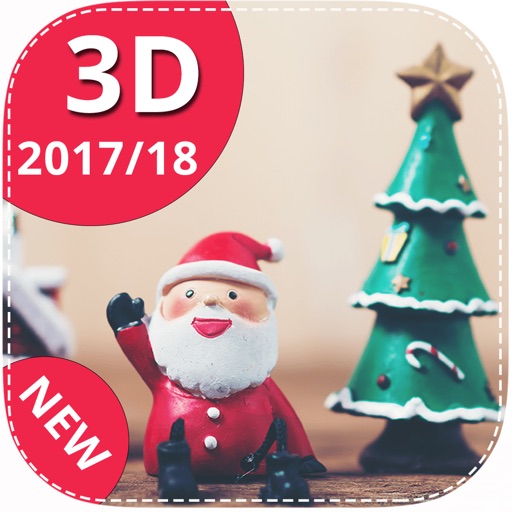
Add realistic Santa, Tooth Fairy, and Easter Bunny stickers to photos. Insert stickers into any image for personalized holiday or celebration scenes. Create custom photo cards and share edited images directly.
High-quality photos and videos simultaneously with music playback. videos with trimming, effects, and transitions. Add background music and export to social or file sharing services.