Create 3D images using one or two devices. Capture photos simultaneously with two devices. View 3D images by crossing eyes. Includes tutorial for cross-viewing technique. Preview 3D images before finalizing. Share 3D photos directly.
by Kevin Anderson★ 4.851 ratingsPhoto & VideoFreeData updated 2026-09-15
Edit photos by converting them to black and white while retaining selected details. Use multi-touch gestures to paint areas in black and white or restore original colors. Zoom in and out with two-finger pinching. Adjust and export edited images.
Remove backgrounds from images by drawing a closed curve. Automatically erase similar color areas for transparent results. Adjust brush size for precise edits. Pan, zoom, and rotate images.
Merge faces to create humorous mixed images with friends, family, or celebrities. Adjust facial features and proportions. Share results via email, MMS, Facebook, or Twitter. Use preloaded example pictures or upload photos.
Create photo collages by combining two images into one. Capture and edit photos with cropping and filters. Add text and stickers to enhance visuals. Share finished collages directly from the .
Edit photos with , cropping, and brightness adjustments. Add text, stickers, and borders. Export in various formats and share directly. Apply exclusive and enhance images with advanced tools.
Add to or images automatically. Choose or take an image, apply a caption, and share or save the result. Supports sharing to , , Twitter, and other platforms.
Capture photos in RAW format without ND filters. Select capture mode, adjust , and set duration. Merge images into a 12-bit DNG file for editing. Apply motion blur to create artistic effects.
Capture photos with natural grain and film-like exposures without AI processing. Save images in Raw DNG format for editing in professional tools. Use Apple's ProRaw for high-quality capture. No editing features included.
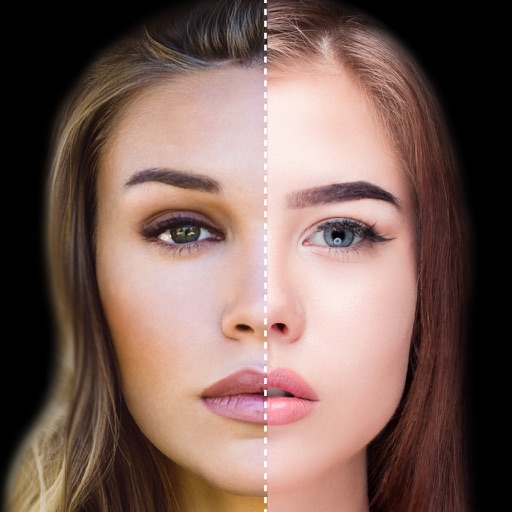
Find lookalikes using AI. Create collages with gradient face-to-face effects. Share with hashtag #looklikeme. Transform photos into art with AI styles. Upscale images for better clarity. No photo storage.
Apply age-changing filters to photos to visualize future or past appearances. Adjust aging levels manually. Upload images to test age regression or forward aging. Save and share edited results.
Create customizable cartoon and avatars by selecting from various eyes, haircuts, mouths, clothes, accessories, glasses, and actions. Design idol cosplay images using provided templates. Add photo frames and hundreds of stickers to artwork.
Capture before-and-after images with precise alignment. custom graphics or text on photos. Adjust transparency and position elements accurately. Share edited photos directly from the . Sync with other devices for seamless workflow.
The app allows users to take three pictures and combine them into a single creation. It offers features like super wide pictures, cloning, and continuous actions with easy alignment.
Capture photos with custom film simulations and adaptive grain. Use live analytics for exposure adjustments. Share directly from the . Edit images with advanced controls and export in high-quality formats.
Create collages by selecting a layout and adding photos. Arrange images in customizable grids or freeform styles. Export collages in various formats and share via social media or messaging apps.
Create cinemagraphs by animating static images with moving effects, presets, and filters. Add overlays and convert to videos or GIFs. Save and share animated photos as wallpapers or social media content.
Capture photos with anti-shake, HDR, and night scene noise reduction. Focus and shoot with ease. Edit raw images with adjustable settings. Share directly from the .