Create and animate particle effects in space with drawing tools and customization options. Adjust particle colors and gravity settings. Import images and record videos in full version. Supports iPad for enhanced experience.
by Johannes Pfahler★ 4.514 ratingsEntertainmentFreeData updated 2026-09-15
Allows plotting of polar, cartesian, and parametric equations with unlimited expressions. Users can add sliders for function transformations, create tables for data input, and animate graphs.
PLAY AND LEARN EDUCATIONAL GAMES FOR KIDS PLEI END LERN EDYUKESHINAL GEIMS FO KIDS, TOO
Draw, paint, and create with fun animals
Draw with brushes, markers, or crayons on various pages. Trace shadows to identify animals. Tap blocks to create pixel art. Collect stickers. Paint with vibrant colors and patterns. Choose from multiple pages.
Take notes with customizable ink styles and pressure-sensitive strokes. Choose from various pen tools and colors. Record and sync audio with writing. Draw precise shapes and lines. Share notes directly.
Pages feature -themed images for children to color. Users can select and apply colors to drawings. Options include drawing freehand or using pre-set tools. Save and share completed artwork.
Illustrating concepts of mechanics with animations.
The app provides a memorandum of basic equations and animations illustrating concepts of mechanics. It covers vectorial reminders, statics, center of gravity, moments of inertia, and dynamics of particles and rigid bodies.
Create cracked or glitched wallpapers using 32 preset effects. Import images from the album to customize designs. Apply wallpapers as lock screens or share them to friends.
Create immersive visual experiences with dynamic particle effects and interactive elements. Stream videos wirelessly to Apple TV via AirPlay. Play background music to enhance the atmosphere. Share content directly from the .
Create and animate patterns using up to 20,000 particles of light. Manipulate particles with fingers to paint or shape designs in real time. Adjust colors, sizes, and motion effects. Save and share created patterns.
Guide aircraft to their runways by drawing lines to direct them. Manage three maps with HD graphics and retina support. Compete on Game Center. planes with precise line-drawing actions. Track steady 60 FPS performance.
The app offers a full version of the classic FreeCell solitaire card game. It includes four difficulty modes, 18 unlockable backgrounds, and retina graphics.
Create animations with drawing tools, color options, and frame management. Import images or draw directly. Export and share animations on Cineverse. View progress and refine frames for detailed editing.
Create by painting individual pixels. Adjust canvas size, select colors, and customize border settings. Erase, undo, and resize drawings. Save artwork to gallery and storage. Share completed pieces others.
Play a hexablock game by dragging triangles onto a grid to form hexagons. Combine same-colored blocks to create hexagons. Fill a gauge by making as many hexagons as possible. Play offline or online. No time limit.
Create and customize characters with drawing guides and pages. Watch designs animate with vibrant effects. Explore a variety of characters, pets, and accessories to personalize creations.
Create and customize stick figures with drawing tools. Add expressions, clothing, and accessories. Save and share drawings. Explore interactive scenes with hand-crafted animations. Import and export artwork.
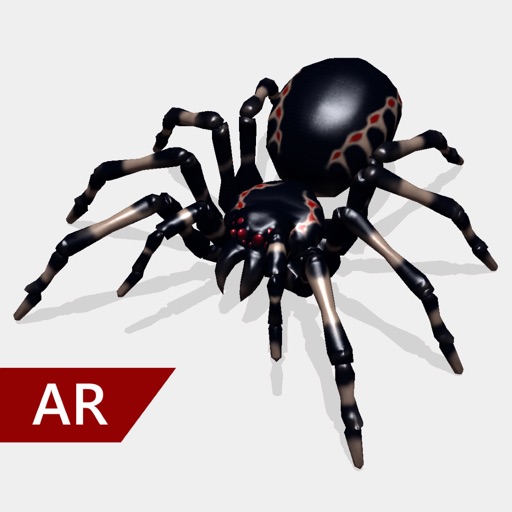
Create and share realistic scary videos featuring interactive . Choose from five spider types and adjust their size. Step on the ground to scare or let them attack. Apply nine full-screen filters to enhance the effect.
PLAY AND LEARN EDUCATIONAL GAMES FOR KIDS PLEI END LERN EDYUKESHINAL GEIMS FO KIDS, TOO
Draw, color, and create cartoons
Create drawings using various colors and tools. Select from pencils and brushes to color favorite characters. Add interactive elements to animate drawings and tell stories. Explore themed scenes like rocket launches and space adventures.
Create time-lapse and stop-motion videos with high-quality animations. Choose from time-lapse, manual capture, or microphone trigger modes. Edit footage with built-in tools and export videos for sharing.