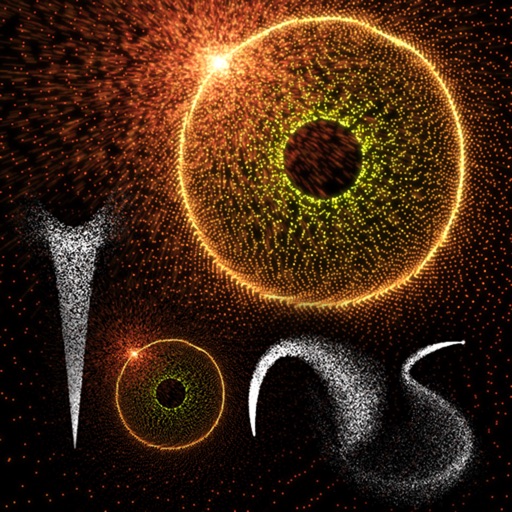
Create and animate patterns using up to 20,000 particles of light. Manipulate particles with fingers to paint or shape designs in real time. Adjust colors, sizes, and motion effects. Save and share created patterns.
by Douglas Applewhite★ 3.813 ratingsEntertainmentFreeData updated 2026-09-08
Create dynamic sandscapes by painting and dragging to shape particles. Watch flow, stack, and interact with walls and fluids. Customize colors and experiment with different particle behaviors. Share creations directly.
Create interactive visualizations using particle effects, waveforms, gravity simulations, and lightning patterns. Adjust colors, motion, and intensity. Save or share generated art.
Lets users interact with particles by touching the screen. Multiple fingers alter particle behavior. Users can create visual effects for entertainment or to engage children.
Create and customize particle simulations with adjustable color, size, and shape based on movement and age. Control trail effects, background changes, and physics settings. Use accelerometer input for gravity and turbulence.
The app allows users to create firework displays by tapping or dragging. It offers multiple game modes, including drawing art with firework shapes and watching generated shows.
Model and visualize particles with realistic interactions and four distinct classes. Simulate natural phenomena like crystallization, thermodynamics, diffusion, and orbital mechanics.
Simulate planetary orbits by flicking to launch planets around black holes. Complete levels by achieving stable orbits. Access a Sandbox to create and publish custom levels controls, time manipulation, and collision settings.
Allows users to interact with particles by touching the screen, creating electrical reactions. Users can explore different particle behaviors and animations through touch gestures.
Customize cases with painting and acrylic art tools. Choose colors and patterns to design unique cases. View designs in 3D and share creations with others.
Create patterns by strokes. Choose from eight modes and over 10 brushes. Select from endless colors. Save and share artwork. Adjust settings for brush size and speed.
The app presents a visual analogue to a sound synthesizer using on-screen particles. Users manipulate particle properties to create varied patterns and textures, exploring visual harmony through differential motion.
Shoot to Win! lets players engage in battles with realistic gun mechanics. Compete against rivals in controlled environments. Customize pellet guns, strategize attacks, and earn points by eliminating opponents.
Learn techniques through interactive tutorials. Create custom patterns by selecting colors and stitches. Save and share designs. Track progress and adjust patterns for different fabric sizes.
Create calming effects by swiping fingers across the screen. Interact with colorful particles that respond to touch and movement. Explore over 50 unique visual effects designed for relaxation and stress relief.
Create and interact with dynamic simulations. Tap to manipulate particles that react to touch. Adjust colors, shapes, and movement patterns. Save and share custom simulations. Explore calming visual effects and artistic expressions.
Create fluid simulations by touching the screen to manipulate colorful, flowing patterns. Adjust movement speed and observe calming or dynamic visuals. Share created art or save snapshots of fluid animations.
Create custom game controllers by designing art with stencil tools, spray paint, and stickers. Apply color and patterns to joysticks and gamepads. Add decorative elements like marble dipping. Save and share custom designs.
Control on-screen motion by touching and dragging to create fluid movement. Interact with glowing particles and light effects. Play mini-games for a calming experience. Adjust settings for personalized relaxation.