Create and share digital art customizable brushes, unlimited colors, and layer support. Zoom, pan, and adjust brush parameters. Rotate, mirror, and undo steps. Participate in challenges like tracing or completing others' drawings.
by Voxeloid Kft.★ 4.2251 ratingsPhoto & VideoFreeData updated 2026-09-14
Create art on cloud backgrounds by selecting from pre-loaded high-resolution images or capturing real-time sky photos. Draw freely with intuitive tools. Save and share finished drawings.
Edit videos by selecting from a library and applying various effects. Add stickers like glitch, text, emojis, and love symbols. Draw shapes and signs in multiple colors. Apply slow and fast motion effects. Add frames or borders to videos.
Edit photos and videos into paintings using 31 presets and 12 professional tools. Apply AI-generated effects with machine learning assistance. Adjust colors, brushes, and textures for custom artwork. Export edited media in various formats.
Create pixel art using a grid-based drawing interface. Draw with customizable colors and brush sizes. Share artwork directly to social media or the in- community. View and comment on other users' pixel art.
The app provides tools for creating sketches, doodles, drawings, and notes. Users can record video of their painting process or narrate a completed book.
Create AI-generated art by typing prompts. Select from styles like realistic, anime, and 3D. Generate images instantly. Save and share artwork directly.
Edit photos and videos to create oil paintings using 29 presets and 12 professional tools. Adjust brush strokes and colors manually. Apply AI-generated oil with machine learning enhancements. Export edited content in various formats.
Create digital art or doodles on photos with advanced painting tools like 3D-Shaded , Halo , Plasma Chain , and Translucent . Use Lighten and Darken tools to add depth. Adjust stroke size based on finger pressure. Export artwork in various formats.
The app offers a full editing suite with color, brightness, and contrast adjustments. It includes filters, frames, effects, and a meme maker with speech bubbles and text options.
Manage and organize creative projects in one place. Import and export files. Edit art with high zoom, animation tools, and color palette customization. Create and animate sprites for retro-style games.
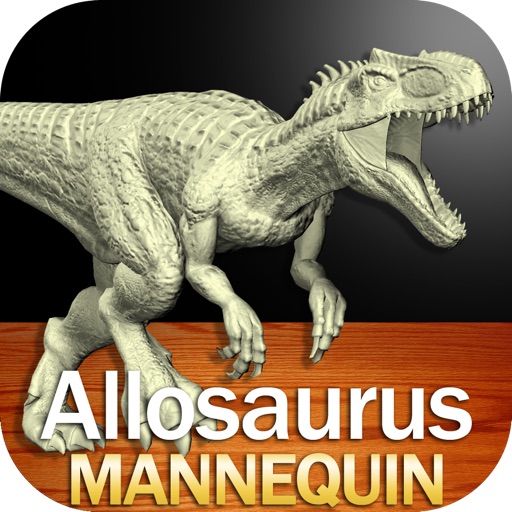
Create and customize drawings of an with poseable joints and adjustable limbs. Select from various skins and backgrounds. Adjust camera angles, zoom, and lighting. Use animations to guide realistic poses and movements.
Design tags with customizable markers and nib shapes. Choose from various stroke sensitivities and color options. Save creations with one click. Create personalized street art and tags.
Create images using AI without internet or subscriptions. Use prompts to generate art locally on your device. Access advanced models like SDXL and FLUX.1 for detailed outputs. Adjust settings for precise control over image creation.
Edit by adding , quotes, artwork, handwritings, or drawings. Customize watermarks and reuse them. Enhance images with overlays and creative designs. Adjust and annotate for personal or artistic expression.
Edit photos with effects, , and . Add creative overlays and stickers. Adjust brightness, contrast, and saturation. Crop and rotate images. Share edited photos directly to social media.
Create drawings with customizable brush colors and sizes. Select from 60 color options for background and brush. Save or share artwork. Use random mode to change brush size or color automatically. Access 20 levels of undo.
The app combines geometric shapes with text and equation editing. Drawing data can be transferred for collaboration and backup, and drawings can be shared on social media.