Add vertical text to photos and support horizontal writing. Include ruby annotations with specified formats for kanji and mixed text. Choose from multiple fonts including Hiragino and Yu styles.
Edit photos with filters, cropping, and brightness adjustments. Add text, stickers, and drawings. Remove blemishes and whiten smiles. Create collages with multiple layout options. Export in various formats and share directly.
Edit documents, spreadsheets, and presentations online
Create, edit, view, and share documents. Compatible with Word, Excel, PowerPoint, PDF, and Google Docs formats. Sync documents across mobile devices and Mac. Scan and convert PDFs. Export files in multiple formats.
The app provides over 120 fonts for use in various applications. Users can customize profiles, write comments, and send messages with different text styles.
Create logos using AI-generated designs. Choose colors, fonts, and styles. Customize elements like text and icons. Export logos in various formats and share directly.
Edit videos with real-time preview, trimming, and splitting. Add transitions, text, and stickers. Export in 4K resolution. Use external keyboard and mouse for efficient editing. Supports iPad, iPhone, and Mac with Apple M1 chip.
Rewrite text with AI-powered paraphrasing and grammar checks. Adjust sentence structure, tone, and clarity across multiple languages. Edit paragraphs, refine expressions, and correct errors for professional, academic, or creative writing.
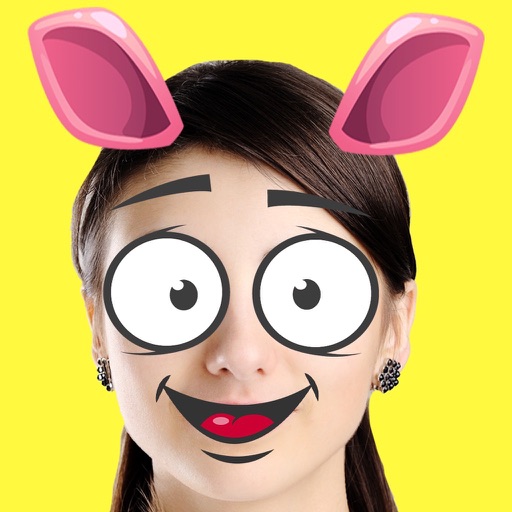
Create custom emojis by adding eyes, lips, hairstyles, hats, glasses, beards, mustaches, and props. Add text with various colors and fonts. Rotate, move, and zoom and text. Share emojis and memes directly within chats or social media.
Add text to photos with customizable fonts, colors, sizes, and borders. Include stickers and background colors for creative expression. Share directly to social media platforms. Supports multiple languages including Arabic, , Persian, and Hindi.
Photos by selecting an image from the library or taking a new one. Add text with customizable fonts, colors, sizes, and borders. Position text on the and share the labeled image.
View weekly and monthly schedules with color-coded events. Adjust colors for different appointments. Scroll vertically to navigate days. See weekly tasks at a glance. Switch between views for flexible planning.
Adjust text size and spacing for better readability. Choose from accessible fonts like OpenDyslexic or Comic Sans. Customize line spacing and background color. Enable dark mode for reduced light sensitivity. Sync settings across devices.
Create digital artwork from text prompts using AI- images. Choose from anime, realistic, or artistic styles. Edit and enhance images with a hand drawing tool. Save and share visuals.
Create clouds by selecting color themes, fonts, and layouts. Choose from six layouts including horizontal, vertical, and half and half. Input text to generate clouds where common words appear larger.
Directly in compatible apps from Safari. Select from over 200 available apps. No data is collected or stored. Unlock unlimited access with a one-time purchase. No ads or subscriptions. Enable in Safari settings after download.
PDF files by adding text, annotations, and highlights. Merge multiple PDFs into one document. Customize formatting and rearrange pages. Save and share edited files in various formats.
Edit text with a customizable extended keyboard featuring compact buttons for symbol input. Import and use custom fonts, including ligatures if supported by the font. Manage font settings and adjust display options for monospace fonts.
Create custom receipts and labels with text, images, and horizontal lines. Design layouts and print directly to printers. Manage multiple connections and preview print jobs before sending.
Upload photos to generate AI-animated videos. Choose from multiple styles and themes. Add text and music to videos. Share finished videos directly with social media or messaging apps. Edit frames and effects before exporting.