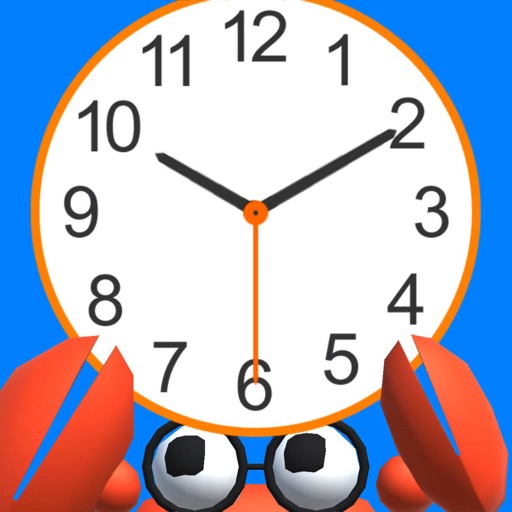
Learn to tell time by interacting with a 3D clock. Rotate clock hands and tap a crab to display and hear the time. Switch between Japanese and English audio using a national flag. Move a character to different locations and change the weather.
by Akiyo Imanaka★ 4.533 ratingsEducationFreeData updated 2026-09-13
Play a color-matching puzzle game by tapping adjacent stars of the same color to blast them. Clear the board in as few taps as possible to achieve high scores. Choose from four unique game modes. Track progress and compete for top scores.
The app analyzes mechanical watch precision by measuring the acoustic energy released as a "tick-tock" sound. It compares this sound against the iOS system clock to display timekeeping differences.
Track movie release dates with a customizable timer. View film details, ratings, and trailers. Set reminders for premiere dates and watch promotional content.
Relax in a Japanese inn setting with seasonal background changes. Adjust views by sliding shoji screens. Listen to ambient sounds like birds, snow, and fireflies. Take breaks in a calming environment with changing animations.
Listen to live radio streams and set alarm clocks with customizable music. Participate in open mic sessions to share audio. Connect with others and interact with the station's social features.
The app helps children learn to tell time through an engaging experience. It provides assistance by displaying the correct time when needed, supporting the learning process.
Explore 3D flag models and view corresponding capital cities on interactive maps. Check distances between locations. Access Wikipedia information with a tap.
Game mode allows players to switch between robot and human opponents by tapping the green button. Robot has basic AI for challenging play. View stats by tapping the red button. First player color alternates each game.
Simulate realistic cat behavior. Tap screen left to move, right to change viewpoint. Tap lower right icon to jump or attack. Navigate through interactive environments. Perform actions to progress through levels.
Listen to Cookeville's Greatest Hits radio station. Stream live audio and access on-demand shows. Receive station promotions and contest alerts. View YouTube content without leaving the . Set alarm for station's wake-up playlist.
A clock for children allows manual adjustment of hour and minute hands. The "snap to minutes" feature aligns minute hands to the nearest minute. Users can set and practice reading analog clocks.
The app presents users with an infinite number of math calculations. Users select easy, normal, or hard difficulty options and race against the clock to achieve a high score.
View full-screen art pieces with automatic transitions between iconic artworks. Set display durations to 20, 30, or 60 seconds. Swipe to advance to the next piece. A clock moves from left to right at the bottom of the screen.
Explore phenomena by interacting with models of clouds, rain, snow, and storms. Adjust temperature, wind, and precipitation to simulate different conditions.