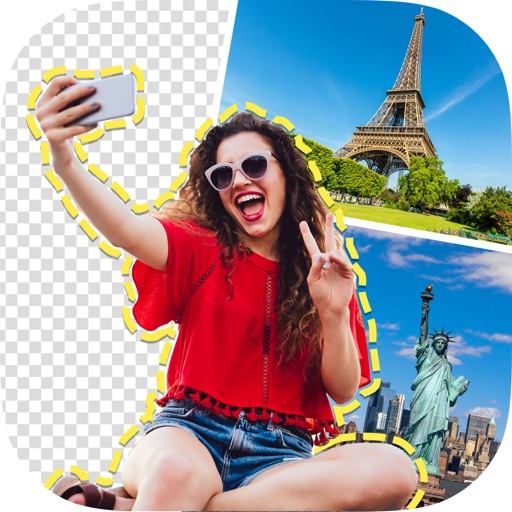
Edit photos with background removal, object elimination, and AI-style transfer. Add text, stickers, and custom fonts. Generate AI art, create flyers, and apply effects. Export in various formats and share directly.
Chengdu Everimaging Science and Technology Co., Ltd
Edit photos with AI voice commands
Edit photos using AI-powered tools that apply multiple adjustments based on voice or text commands. Crop, rotate, and enhance images with one-tap edits. Add text, stickers, and filters. Export in various formats and share directly.
Edit photos with AI muscle enhancement, retouching, and makeup filters. Adjust shape, add height or muscles, and change hairstyles. Swap faces using AI, remove objects, and apply beauty enhancements. Export and share edited images directly.
Edit photos, enhance images, generate AI portraits,
Edit photos with AI to erase, swap, and change backgrounds. Enhance images using AI-generated effects and filters. Create realistic AI portraits and designs with templates, fonts, and backgrounds. Export and share edited photos in multiple formats.
Remove photo backgrounds using AI-powered object detection. Automatically isolate subjects for transparent image export. Edit and save images for use in product photos, thumbnails, stickers, and memes.
AI automatically detects and removes , people, and backgrounds from photos. Users can edit photos with skin whitening, acne removal, body reshaping, object erasing, background changes, cropping, text addition, and filters.
Create videos using personal photos and . Select images from the Photo Library, apply transition animations and set frame durations. Save videos to the Photo Library or share them directly.
Create custom emojis using a variety of components like eyes, mouths, and backgrounds. Customize colors and styles. Save and share created emojis. Collaborate with others to design and exchange unique sets.
Create photomontages by combining elements from multiple images. Select and move objects between photos. Add text and effects. Export and share final compositions.
Remove backgrounds from photos using the magic tool. Manually crop or restore parts of an image. Create stickers and edit outlines for YouTube thumbnails. Export high-quality PNGs without watermarks.
Backgrounds from photos using AI-powered tools. Edit photo backgrounds, replace with new ones, and generate PNG files. Save and share edited images directly.
Convert photos into Anime-style artworks, professional headshots, or realistic AI videos. Edit generated images, adjust styles, and export in various formats. Share directly or integrate with social media platforms.
Edit photos by cutting and pasting faces, removing backgrounds, and deleting unwanted people. Add missing faces to photos. Use the silhouette head tool to select and edit elements. Export edited images directly.
Senfoni Yazilim Hizmetleri Sanayi Ve Ticaret Limited Sirketi
Edit photos, add text, create collages
Edit photos with filters, cropping, and adjustment tools. Add text and graphics from a large selection. Create collages and designs with editing options. Export in multiple formats and share directly.
FACE & BODY TUNE PHOTO EDITOR, SOCIETATEA CU RASPUNDERE LIMITATA
Edit photos, remove objects, apply filters
Edit photos by removing objects with the eraser tool. Apply 25 filters for styling. Add colored borders using the border tool. Recolor specific elements like clothing. Overlay bokeh and sparkles for enhanced visuals. Share edited photos directly.
Edit photos with one-tap removal and object erasing. Apply creative effects, blur tools, and adjust details. Share edited images directly or save in various formats.