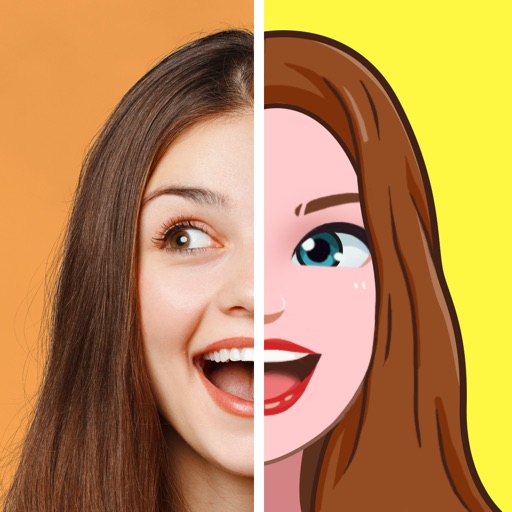
Apps Like Emoji Maker, Avatar Creator for iPhone and iPad
Create, share, and animate emojis
Create custom emojis using a variety of components like eyes, mouths, and backgrounds. Customize colors and styles. Save and share created emojis. Collaborate with others to design and exchange unique sets.
by Digital Palette LLC★ 4.614,404 ratingsEntertainmentFreeData updated 2026-09-11
Create by selecting from popular templates and adding text. Edit images with cropping and filters. nimated GIFs and collages. Share directly to social media platforms.
Create unique stickers by deconstructing and mixing elements. Edit emojis with style switches and custom text. Merge emojis to form new expressions. Design personalized avatars and wallpapers with customizable options.
Create personalized emojis and GIFs using a customizable . Design avatars with facial features, hairstyles, and accessories. Share created emojis and GIFs through iMessage and other messaging apps. Edit and customize stickers directly within the .
Create and customize emojis by selecting from hundreds of templates. Add elements like eyes, mouths, and accessories to unique emojis. Save and share creations with friends. Edit and refine designs using an intuitive interface.
Create custom emojis using thousands of parts. Sync emojis to keyboard and Messages/Sticker . Personalize expressions with interchangeable elements. Share created emojis directly within apps.
Create personalized emojis and 1500+ stickers using selfies or uploaded photos. Customize avatars and share emojis across messaging apps and social networks like WhatsApp, Facebook, Instagram, Snapchat, and Telegram.
Create animated emojis based on your appearance, friends, or celebrities. Choose from various expressions like happy or facepalm. Add custom text to emojis. Share via iMessage, Facebook, Instagram, Twitter, and other apps. Send for free or as MMS.
Create and customize avatars in Simpsons style with features. Add personal cartoons to keyboard. Share avatars via WhatsApp and other messaging apps. Generate custom emojis and stickers. Upload and share on social networks.
Create custom emojis by editing individual parts and combining them to form new designs. Sync created emojis to Messages. Use AI to generate new emojis from prompts or mix two emojis into one.
Create and customize emojis and stickers by combining elements like eyes and smiles. Edit existing emojis or build from scratch. Export designs as high-quality stickers for WhatsApp, iMessage, Telegram, and social media.
Create custom emojis with adjustable colors, shapes, and styles. Choose from various sticker packs to personalize your collection. Share emojis across social apps and save favorites for easy access.
Design custom emojis with drawing tools and templates. Save and share them as stickers in iMessage. Copy emojis to use in other apps or emails. Emojis are exported as images for consistent display across devices.
Stack two emojis vertically to create combinations. Select from multiple sets. Complete sets to progress through levels. Share achievements and compete with others.
Send emojis and stickers with a single button. Access sound effects and animated emojis. Organize emojis into categories. Share stickers via iMessage. Include multiple color themes and sound sets. Support iPhone and iPad.
Create custom emojis based on mood or prompts using AI. Save favorites to a personal collection with swipe gestures. Share emojis directly in messages or social media.
View and share animated emojis, GIFs, and reactions like "Da hekk" and "tree of doom." Create custom emojis and AI avatars with unlimited combinations. Access exclusive content in Wall. Enjoy high-quality, hand-drawn illustrations.
Create animated emojis that resemble your dog. Choose from animations like yawning, growling, or catching a frisbee. Combine with your photo or text. Share via iMessage, Facebook, Instagram, or Twitter. Send as free text or MMS.