
LifeOn
KyuHo Nam
Calendar and reminders at a glance.
The app displays daily schedules in a circular format for easy viewing. It supports multiple calendar views, themes, and synchronization with iOS calendars and reminders.

Add marks to calendar via widgets
Record daily activities like workouts, overtime, or leave days directly on the calendar via the Today widget. Add marks with three steps: unlock screen, swipe to Today view, and tap the calendar. Backup data to iCloud and support dark mode and iPad.
Showing 641–660 of 1,000 ranked alternatives.
KyuHo Nam
Calendar and reminders at a glance.
The app displays daily schedules in a circular format for easy viewing. It supports multiple calendar views, themes, and synchronization with iOS calendars and reminders.
PIXELAB
Customize home screen widgets
Customize home screen layouts with dynamic widgets. Add digital and analog clocks, calendars, and photo widgets. Choose from multiple design options and personalize layouts to suit individual preferences.
Thomas Wesley Erickson
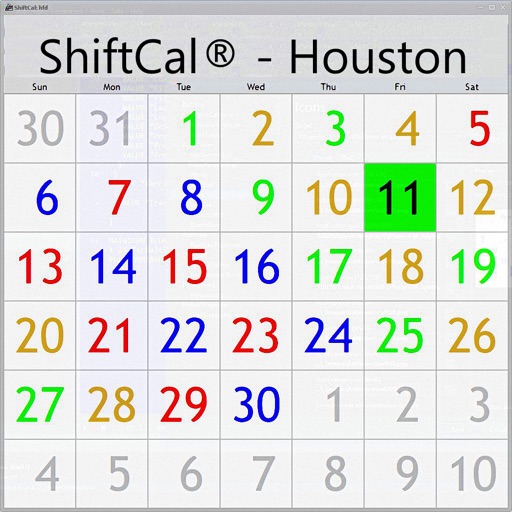
Shift calendar for Houston Fire
The app displays a shift calendar for the Houston Fire Department. It supports debit days shown in an alternate color and optionally displays paydays.

婧 李
Schedule events and track calendar dates
View perpetual calendar with traditional Chinese festivals, solar-lunar conversion, and holiday schedules. Check daily auspiciousness, divine directions, and five elements. Set reminders for birthdays, anniversaries, and events.

Farzad Rashvand
Convert dates between calendars
Manage notes with add, edit, and delete functions. Convert between Persian, Gregorian, and Hijri calendars. Find weekdays for any date and locate days across different calendar systems.

Hannes Sverrisson
Save calculations and continue later
Track calculations with a dedicated today view. Save or email calculation history as PDF. Correct errors using a backspace key.

Sangyun Cho
Track , organize by category, stay focused
Track daily , upcoming items, and pending work. Organize by category. View events by day using a calendar. Set small goals and plan daily activities. Record thoughts in a diary. Add single, date range, or repeating .

Vladislav Milovanovic
Manage classes, add subjects, track
Manage schedules with a customizable timetable that includes subjects, , and reminders. Add or edit classes, set start and end times, and note classroom locations. Swipe to navigate days and track upcoming lessons.
Masako Sakanashi
View photos side by side
View two different albums side by side or compare photos directly. Swipe left/right to navigate, pinch to zoom, and double-tap to enter full-screen mode. Create combined side-by-side images and access detailed EXIF data.

波 李
Record events, receive timely reminders.
The app allows users to record important events and receive timely reminders. It supports various reminder types, custom frequencies, iCloud backup, and privacy encryption.

Dalton Sand
Track workouts, schedule tasks, manage resources
Track workouts with progress logging and goal setting. Manage daily schedules with calendar integration and reminders. Access resources for Naval Academy life including event updates and academic tools.

Hodosoft Co.,Ltd.
Manage shifts, set alarms, track time
Manage work schedules with customizable alarms and repeating patterns. Track annual leaves and confirm weekly work periods. Calculate hourly and overtime wages. Sync with Apple Calendar. Share and back up schedules.
SOCIAL NOTE CO., LTD.
Backup data, view iCloud files, create
Backup data automatically or manually and view stored files in iCloud. Create custom notebooks to organize information and manage digital content efficiently.

Shehab Hegazy
Set yearly and break them into monthly
Set yearly and monthly with automatic breakdown into smaller steps. Assign to specific months with one tap. Delete or edit using swipe gestures. Add widgets for quick progress tracking on the home screen.
Actowise LLC
Track , prioritize, sync across devices
Track across devices with real-time iCloud sync. Prioritize automatically or reorder via swipe or drag. Organize into folders and nested folders.

Abubakr Elmallah
Explore content and resources
Traveling Mode automatically activates based on home location or can be manually enabled for prayer times. Users can access daily Quran recitations, calendar, and prayer schedules.
BRIJIT SHEELIA
Configure timers and track time intervals
Configure timers with interval, simple, or quick modes. Set alerts for countdown and halfway points. Use templates for workouts. Sync across devices via iCloud. Switch between dark and light mode. Adjust settings easily. Speak names aloud.

Wei Wang
Count and track daily events with 1+
Count occurrences with a simple interface. Add items by pressing +. Track counts over time with date and time stamps. Use Today Panel extension for quick additions. Monitor progress for daily activities.
Discoveruapps v.o.f.
Down to events and milestones
Tracks time until or specific events. Set custom dates and receive notifications. Add events as widgets on the home screen. Support light and dark mode. in , weeks, months, hours, and minutes. Sync across devices.

Apps are ranked by functional similarity, category fit, rating confidence, and popularity.