View and control access control systems with pre-programmed single key commands. Monitor color-coded events and alarms on a scrolling status screen. Drill down into system state details to adjust hardware settings.
by DSX Access Systems, Inc★ 3.912 ratingsProductivityFreeData updated 2026-09-12
Control home security system by sending and receiving SMS with password-protected commands. Arm and disarm system remotely. Check system status including last state, power, and alarm status. Adjust system settings through the .
Allows users to control TVs via Wi-Fi. It detects TVs automatically, navigates channels, and accesses default system tabs. Users can manage playback, adjust settings, and mirror content from iOS devices to TVs.
The app allows CellGate Access Control and Monitoring Subscribers to control property entry remotely. Users can create access codes, view gate activity history with photos, and receive alerts on their mobile phones.
Schedule events and set reminders with customizable alerts. View and manage entries across devices. Access lock-screen widgets for quick updates. Sync with Apple Watch for notifications and control.
Check account balances, view recent transactions, and manage bill payments. Transfer funds between accounts, set up alerts, and deposit checks via photo. Monitor spending patterns and access account statements securely.
Receive emergency incident alerts with location, type, and assigned units. View CAD comments and tap addresses to navigate via Apple Maps, Google Maps, Waze, or Foreflight .
Read scripts smoothly with a effect. Record high-quality videos while scrolling text. Convert photos into editable scripts using image recognition. Trim and refine recordings within the . Share finished videos directly.
Manage household with assigned and rotating tasks, reminders, and progress tracking. Set recurring or one-time , earn rewards, and use pre-set schedules. View analytics, control household settings, and organize with filters.
Control audio projects with project overview and mixer views. Set and customize keyboard shortcuts and macros. Access recording features and manage session settings remotely.
Control devices with secure, high-performance connections. Access and manage multiple devices from iOS. Perform file transfers, run applications, and share screens. Support for Windows, macOS, and Linux systems.
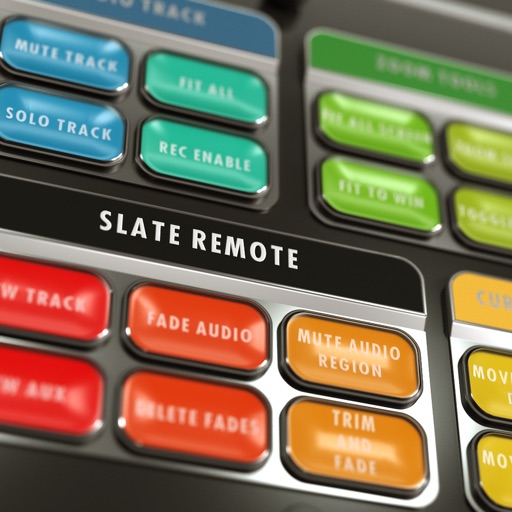
The app provides touch buttons for executing key commands, menu selections, and mouse clicks. It automates tasks such as drum track editing, creating sends, applying plugins, and track consolidation.
Read vehicle identification numbers to retrieve model details. Decode and clear diagnostic trouble codes for electronic control modules. Access live data parameters and monitor vehicle networks.
Control TV functions like power, volume, and channel selection with tap gestures. Navigate apps and adjust settings through an intuitive interface. Connect to your TV with simple setup steps.
Manage Raspberry Pi remotely with GPIO control for on/off and impulse functions. Access a file manager to explore and transfer files. Send terminal commands, view camera images, and retrieve sensor data.
The app connects to exacqVision servers to view live and recorded video from up to 48 surveillance cameras. Users can control PTZ cameras, monitor triggers, and search video from their mobile device.
Manage tasks with commands for scheduling, setting reminders, and answering questions. Access information through natural language queries. Control smart home devices via . Organize notes and to-do lists using input.
The app offers remote access to Distech Controls’ ECB and ECL series controllers. Users can view, edit, and configure HVAC operating parameters, with color-coded icons indicating alarms and overrides.
The app allows users to control the PowerDrive Bluetooth inverter using an iPhone. It displays battery voltage, output power, and product temperature, and enables remote setup of protection alarms for voltage, overload, and temperature.