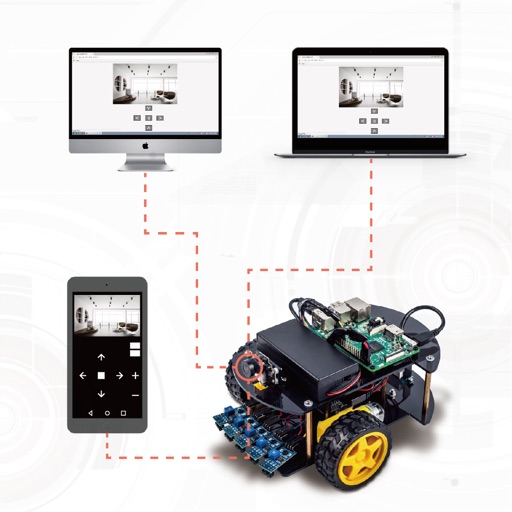
Manage Raspberry Pi remotely with GPIO control for on/off and impulse functions. Access a file manager to explore and transfer files. Send terminal commands, view camera images, and retrieve sensor data.
by Egal Net di Ettore Gallina★ 4.749 ratingsUtilitiesFreeData updated 2026-09-06
Monitor CPU, memory, disk usage, processes, and temperature in real time. Manage GPIO pins with a colorful pinout and mode changes. Access an SSH terminal for full xterm experience. Browse, upload, download, rename, and delete files via SFTP.
Manage Pi and Linux systems via SSH from iPhone or iPad. Edit and run scripts, set runtime confirmation messages. Sync commands, keys, and hosts using iCloud. Access terminal with on-screen keyboard and sample libraries.
Control ESP32 and Raspberry Pi robot kits remotely. Adjust radar ranging, manage three-channel tracking, and use sliders, buttons, and arrow keys. Customize control layouts for personalized setup.
Send real-time to iPhone via push alerts when system changes or events occur. Integrate with backend APIs, servers, Raspberry Pi, frontends, web apps, shell scripts, or curl commands. Requires API key for setup.
Access computers remotely with full control. View and interact with Mac, Windows, Linux, or Raspberry Pi . Transfer files between devices. Lock or restart computers remotely. Use touch gestures for navigation.
Control home access points like gates, garage doors, and doors. Manage roller shutters and lighting with brightness adjustment. Turn power and lights on or off. Monitor the status of roller shutters.
Allows SSH, Mosh, Telnet, and SFTP connections from mobile or desktop. It supports port forwarding and secure file transfers. Users can access a virtual keyboard or connect Bluetooth keyboards. Gestures and device shaking control terminal actions.