Capture photos and videos with one-handed adjustments. Apply film color effects to photos and videos. Import media from other devices for color grading. Use beauty mode for enhanced visuals without cost.
by Yu Tzu Hsiao★ 4.949 ratingsPhoto & VideoFreeData updated 2026-09-11
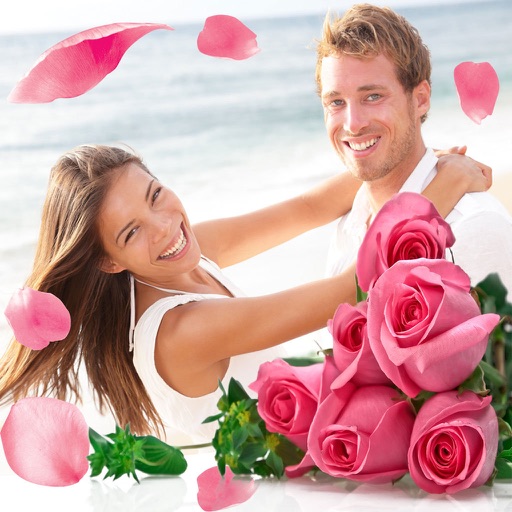
Apply flower to photos from your album. Choose from various like roses, daisies, and sunflowers. Add color filters and adjust appearance. Share edited photos with family and friends.
Videos in 4K and HD quality with support for MKV, MP4, M4V, MOV, AVI, and other formats. Organize and manage videos locally. Quick access to files for playback.
Edit videos and photos using LUTs for color grading. Import and apply over 2500 presets. Record videos and take photos with applied LUTs. Adjust color and exposure settings. Export edited media in various formats.
Capture photos in ProRaw and 48MP on high-end iPhones with manual controls. Edit photos while preserving HDR effects. Edit Live Photos to relive moments. Add custom Frames to personalize images.
Customize faces with gruesome mouth and eye options. Add weapons like crossbow bolts and crowbars. Include creepy creatures for enhanced effects. Apply animated filters in real-time using augmented reality. Share transformed faces directly.
Record and stop-motion videos with support for SDR Video, HDR Video, Apple Log, 12MP, and 48MP photos. Adjust playback speed after recording. Edit footage with advanced tools. Export in various formats. Control settings during capture.
Edit photos and videos with one-tap filters or manual sliders for exposure, saturation, and color balance. Swipe up to access advanced adjustments. Export edited media in various formats and share directly.
Edit photos with film filters, manual date adjustment, and flare effects. Choose 16:9 or 4:3 aspect ratios. Apply film burning effects and export in various formats.
Edit photos with filters, contrast, brightness, and color adjustments. Add text, stickers, and drawing tools. Customize images and landscapes. Export in high quality. Access a free image library. Apply advanced editing features.
The app simulates the experience of using roll film cameras. Users can load a roll of 12, 24, or 36 photos and must wait for the entire roll to be finished before receiving the developed pictures in their photo library.
Edit videos and stories with AI-powered tools. Add stickers, filters, and animations. Copy and paste assets between apps. Save media to camera roll for use in other editors. Organize favorites and apply styles with one tap.
Edit photos and videos with a wide range of filters, including film filters and Kira starlight filters. Access templates and search for trending songs. Apply filters and export edited content in various formats.
Convert rectangular photos to (1:1) or portrait (4:5) formats. Select media, choose layout options, and share directly. Add white frames and adjust background colors for clean, framed visuals.
Capture with real-time live effects and color presets. Apply adjustable effects and enhance colors simultaneously. Use screen flash for better results in low light. Share directly from the .
The app offers tools for photo editing, including frames, layouts, and effects. Users can adjust color balance, brightness, contrast, and saturation, and apply sharpening or blurring.
Simulate photography with a variety of classic cameras including instant, CCD, disposable, toy, and slide projectors. Apply -like effects and filters. Capture photos with randomized outcomes. Share images directly or export in multiple formats.