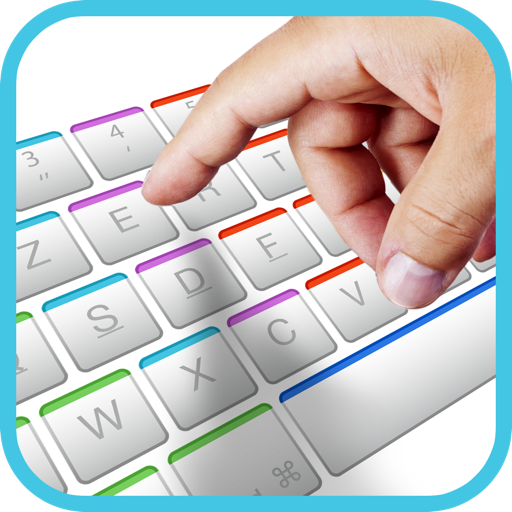
Practice typing with Wubi 86 and 98 versions. Customize settings within the . Track typing speed and accuracy. Set goals and receive feedback. Improve efficiency in text-based communication. Enhance typing fluency through regular exercises.
by 建瑛 贾★ 4.424 ratingsEducationFreeData updated 2026-09-11
Keyboard offers two typing modes: advanced with a smart dictionary for word suggestions and standard for traditional typing. It includes false-color schemes and vocal support for visually impaired users.
The app offers typing practice for Korean and English, supporting various keyboard layouts. It includes placement, short phrase, and long paragraph exercises, along with a game and score uploading to iCloud.
The app allows users to quickly add tasks by typing a name and choosing a notification date. Completed tasks can be deleted, and a Notification Centre widget is available for managing tasks.
The app teaches touch-typing on a Mac using a new, interactive method. It features 32 levels with an interactive tutor and includes typing games to make learning enjoyable for all ages.
Text from non-selectable sources using an intuitive interface. Edit copied text, modify quotes or numbers, and save time by avoiding manual typing. Share or paste content directly from photos and documents.
Learn geography through interactive quizzes on all 196 countries, their capitals, and flags. Play quiz modes including country selection, capital matching, and flag identification. Choose input methods like typing or multiple choice.
Capture spontaneous ideas through typing or voice notes. Transform raw input into structured content like polished ideas, LinkedIn posts, emails, or messages. Organize thoughts, enhance clarity, and generate ready-to-use outputs.
The app offers typing lessons for home keys, neighbor keys, capitalization, punctuation, and numbers. It includes practice exercises like drills, prose, and poems, along with typing games and dictation audio exercises for transcription.
The app teaches touch typing with animated fingers and customizable zones. It offers 28 general lessons, two sets of 32 lessons for kids, and the ability to import custom lessons via iCloud Drive.
Capture text, get instant explanations and translations
Capture text from any screen area using a keyboard shortcut. Advanced OCR recognizes text in multiple languages. Instantly get explanations or translations via AI-powered processing. No manual typing or copying from images.
Type Japanese text using a minimal alphabet with fewer symbols. Input consonants first for smart transliteration to correct kana. Features larger hit targets and concise layouts for accurate typing. Supports katakana and loanwords.
The app allows users to program keyboard combinations for typing text, opening files, and performing macros. It can run Applescripts, terminal commands, and open URLs, with shortcuts available in the Menubar or dock menu.
Capture fleeting ideas instantly by typing directly into the . Save notes without folders or settings. View notes on the lock screen for quick access. Sync notes across devices. Share notes via email or messaging.
Create calendar events quickly by typing reminders, which are added to iCal in two clicks. Instantly schedule tasks with natural language input. Sync reminders to iPhone via iCal. View events directly in iCal without additional steps.
The app offers a structured approach to learning keyboarding through 28 chapters, adapting to user needs with multiple options and difficulty levels. It provides detailed performance reviews, including typing speed and error analysis for each finger.
Offers intelligent typing with AI-driven suggestions that adapt to your style. Tap shortcuts to rewrite, translate, or summarize text. Edit prompts and approve before insertion. Access full clipboard history with pinned snippets for quick retrieval.
The app allows users to create and send messages via SMS and email using templates. Users can divide templates into pieces for quick modification, with options for keyboard typing, text selection, and automatic time and date input.
Create a portfolio entry by taking a selfie, typing your name, capturing a photo of proud work, rating your own work with stars, and sharing the file via email for printing and adding to a portfolio folder.
Learn English–Myanmar vocabulary through structured lessons from basic to upper-intermediate. Use flashcards with audio and bilingual examples. Take typing and fill-in-the-blank quizzes to practice. Receive a new word daily to reinforce learning.
Help children practice spelling by typing words after seeing and hearing pictures. Filter words from Phase 2, 3, and 4 phonics sets to adjust difficulty. Assist the in building houses and defeating the wolf by correctly spelling words.