
ScreenCaptureAI
Capture text, get instant explanations and translations
Aleksey Kakoulin
iPhone Screenshots
Description
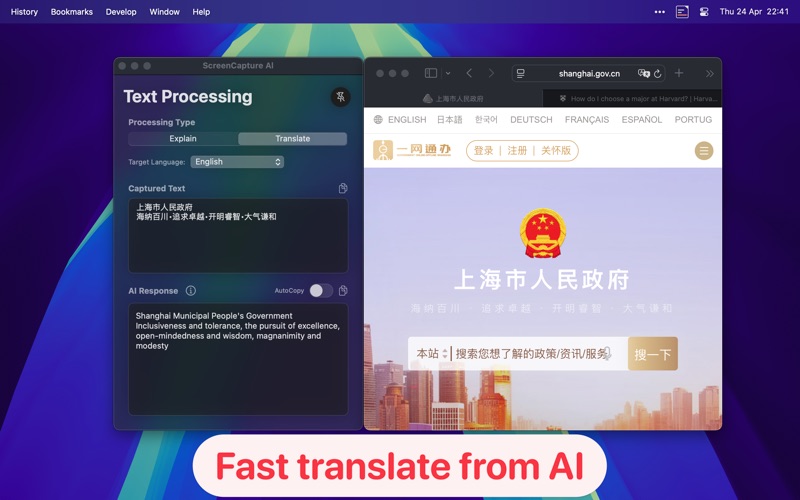
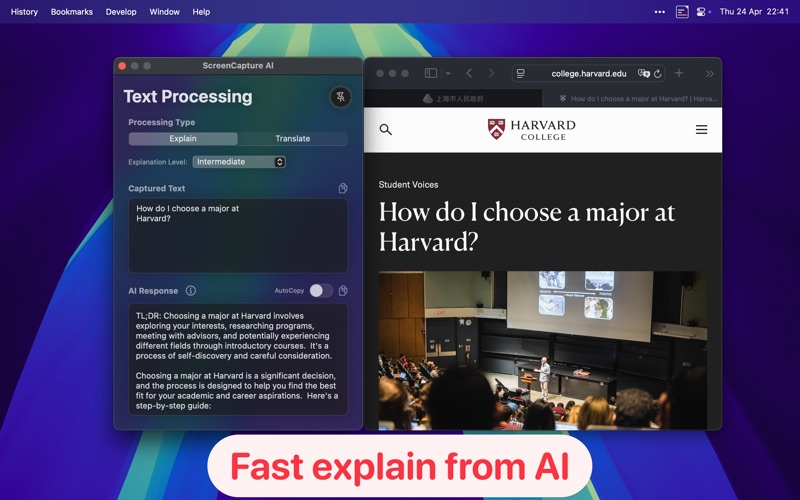
Capture text from any screen area using a keyboard shortcut. Advanced OCR recognizes text in multiple languages. Instantly get explanations or translations via AI-powered processing. No manual typing or copying from images.
ScreenCaptureAl transforms how you interact with text on your Mac.
With a simple keyboard shortcut, capture any text from your screen and instantly get explanations or translations powered by cutting-edge AI.
Key Features:
Intelligent Text Capture
Capture text from anywhere on your screen with a simple keyboard shortcut
Advanced OCR technology accurately recognizes text in multiple languages
No more manual typing or copying from images or unselectable text
AI-Powered Text Processing
Get instant explanations of complex concepts, technical terms, or dense paragraphs
Translate captured text into numerous languages with a single click
Choose explanation levels: beginner, intermediate, or technical
Seamless Integration
Global keyboard shortcuts for quick access
Works with any application or website
Automatically copy results to clipboard if desired
Multiple AI Providers
Connect to various AI services including OpenAI, Anthropic Claude, Google Gemini, Perplexity, and more
Use your own API keys for maximum privacy and control
Default provider available for immediate use
Productivity Boost
Save time researching unfamiliar concepts
Quickly understand technical documentation
Effortlessly translate foreign language content
Perfect for students, researchers, developers, and professionals
ScreenCaptureAl streamlines your workflow by eliminating the barriers between seeing text and understanding it.
Simply capture, then let AI do the work for you.