Apps Like Emb3D 3D Model Viewer for iPhone and iPad
Render 3D models with precision and style
Create and view 3D models with high-performance rendering. Use intuitive gestures to navigate and adjust views. Import and export files in multiple 3D formats. Enhance visual clarity for better presentation or printing.
by Netfarm s.r.l.★ 4.4262 ratingsUtilitiesFreeData updated 2026-09-11
Manage with folders, subfolders, and custom colors. Create personalized score covers for quick browsing. Use smart folders that auto-organize by composer. Edit scores, annotate pages, and share files directly.
Allows users to edit and organize text-based content using org mode. It supports real-time rendering of images, hyperlinks, tables, LaTeX, code blocks, and attachments.
Scan objects and environments in real time using technology to create detailed 3D models. Adjust scan settings and export files in various formats. Share 3D content directly from the .
View and convert 3D models in formats like STL, OBJ, DAE, 3DS, FBX, and USD. Load files from cloud storage or local device. Export models in various formats. Adjust lighting, materials, and camera settings.
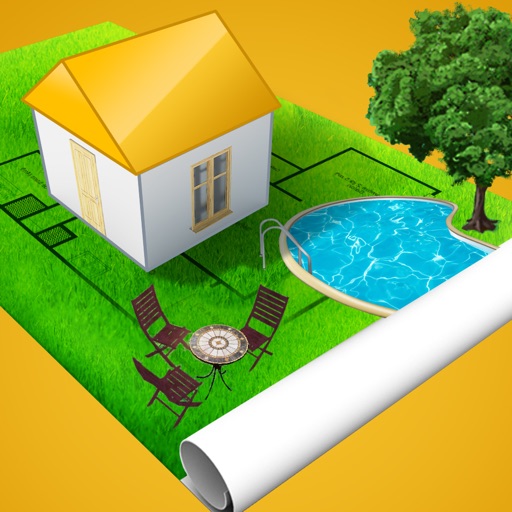
Create and spaces with 3D rendering and augmented reality. Add furniture and decor to visualize gardens, play areas, or event spaces. Share designs with a community. Collaborate on multi-level projects.
Record with customizable resolution and bitrate settings. Capture unlimited duration without breaks. Save recordings in high-quality formats. Share directly or export for later use.
Edit photos with layers, filters, and brushes. Adjust brightness, contrast, and color. Add text and stickers. Export in multiple formats and share directly.
Track real-time prices for in- cards and identify high-profit FC players with club stats. View hidden bargains and compare prices across web apps. Sync data across devices for consistent access to pricing and player information.
Generate charts by typing AI prompts or selecting types. Create scatter plots, bar graphs, and other visualizations. Import data files to customize charts. Export images in various formats and share directly.
Edit photos with AI-powered clarity enhancement, blur reduction, and detail sharpening. Restore old images by removing scratches and colorizing faded areas. rtistic variations with different styles and filters.
Take notes with customizable brushes including pencil, pen, brush, and marker options. Annotate PDFs and sketch lightly. Organize notes with a clean, distraction-free interface. Export notes in multiple formats and sync across devices.
Create and on a blank canvas or in real-world space using AR. Generate images with AI. Apply color and use simple tools to edit outlines. Sync drawings across devices. Export creations in various formats.