Create long images by automatically stitching horizontal or vertical scrolls. Combine up to 99 photos in waterfall format. Design minimalist postcards with customizable styles. Apply mosaic effects to blur parts of images.
by 芊 彭★ 4.924 ratingsPhoto & VideoFreeData updated 2026-09-11
Take photos with real-time beauty filters and effects. Apply makeup and adjust skin tone instantly. Use photo filters to enhance images. Create collages by combining multiple photos. Edit with blur, whiten, and other tools.
Create realistic instant photo effects with customizable backgrounds, fonts, and filters. Add text, stickers, and light leak effects. Design greeting cards, posters, and social media content. Enhance photos with adjustable filters and effects.
Apply light , color particles, and artistic styles like watercolor and oil painting to photos. Add overlays for unique creativity. Transform images into animated scenes with dynamic . Share edited photos directly.
Create artistic images by masking subjects and separating them from backgrounds. Apply filters to subjects or backgrounds for dramatic effects. Adjust styles and textures to enhance visual impact. Share edited photos directly from the .
Create flipped collages by selecting images from the library and applying predefined styles. Share collages directly to social media with one tap. Update the for improved performance and enhanced user experience.
Create portraits with lens blur. Apply realistic bokeh effects with a custom engine that samples 500 times per pixel at 4K resolution. Adjust blur intensity and shape. Export edited images in high resolution.
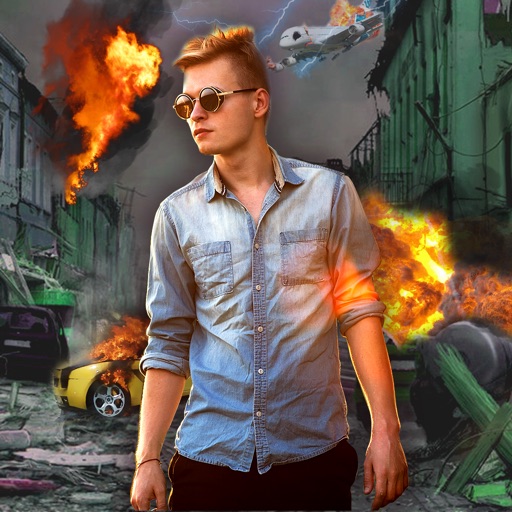
Edit photos with -themed effects like explosions, bomb blasts, and action stickers. Apply customizable FX frames and VFX filters. Decorate images to resemble posters. Share edited photos directly.
Create and share visually engaging social media content with customizable templates and layouts for stories, posts, and highlight covers. Design content for fashion, food, remote work, and more. Export and post directly to social media platforms.
Convert photos into artistic styles like cartoons, watercolors, and pencil sketches using AI. Apply filters and adjust details. Save and share edited images directly.
Faces between two images with a single tap. Select and apply pre-designed templates. Adjust facial features and expressions. Save and share edited photos directly.
Edit photos with cropping, filters, and color adjustments. Add text, stickers, and effects. Save and share edited images directly. Import photos from device storage. Adjust brightness, contrast, and saturation. Export in various image formats.
PDF by selecting multiple documents from your device. Combine into one and share or rename the merged document. Premium subscription allows unlimited merges, sharing, and renaming without restrictions.
Edit photos with color filters, adjustment tools, and customization options. Apply creative color grading. Export edited images in various formats. Share photos using the #digitalfilmapp hashtag.
Trim clips, adjust transitions, add effects, create
Create custom videos by trimming clips, adjusting transitions, adding effects, and editing audio. Share videos directly to social media or messaging apps. Export in high quality for offline viewing.
Edit photos with AI cartoon filters, -to-sketch conversion, and mosaic art creation. Remove backgrounds, add drip art, and create collages. Save and share edited images directly.
Edit photos by selecting images from the camera. Customize backgrounds with soft blur effects. Share directly to Instagram or other apps. Save to the camera roll for permanent storage.
Convert photos into styles with AI technology. Upload images from the gallery and apply filters. Customize effects, add backgrounds, and save or share the edited versions.