Text Behind AI
Outpost31, LLC
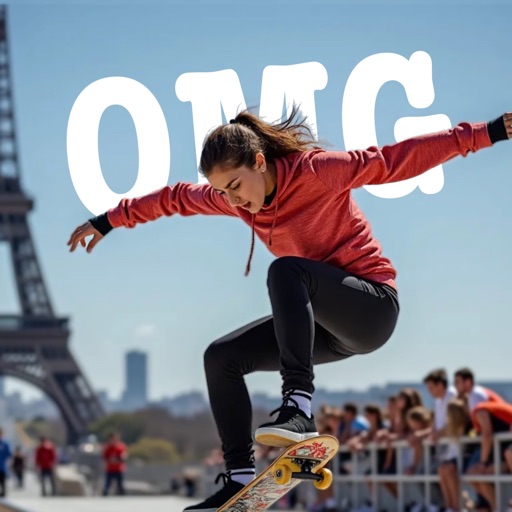
Place objects in photos
AI-powered placement allows users to embed objects in photos. Customize fonts, sizes, and colors. Adjust position and depth for professional-looking depth effects. Export edited images directly.

Split photos into squares for Instagram
Split photos into multiple squares for Instagram posts. View metadata, edit images, add tags and descriptions. Organize photos with titles and personal branding. Share directly to Instagram.
Showing 421–440 of 1,000 ranked alternatives.
Outpost31, LLC
Place objects in photos
AI-powered placement allows users to embed objects in photos. Customize fonts, sizes, and colors. Adjust position and depth for professional-looking depth effects. Export edited images directly.


Gopi Chauhan
Enhance photos with AI filters
Edit photos with AI-powered skin smoothing, makeup application, and filters. Adjust brightness, contrast, and saturation. Apply virtual makeup and try different styles. Export edited images in various formats and share directly.

Alejandro Melero Zaballos
Frame photos and add messages
Decorate photos with customizable and add messages. Choose from themed for holidays and occasions. Edit images by adding text and notes. Share framed photos directly.


Programacion Viktor Seraleev EIRL
Edit photos, create collages, generate images
Edit photos with cropping, resizing, and background removal tools. Generate AI images and create collages. Adjust colors and brightness. Export in various formats and share directly.

Hyland Software Inc.
Access documents and workflow on iPad.
The app allows users to browse and access workflow, view documents, and execute tasks. Users can also view, edit, and save forms, filter workflow queues, and upload photos.


Free VPN Unlimited LLC
Scan documents, convert to PDF, share instantly
Scan documents, images, or photos and convert to high-definition PDF or JPEG. Crop, adjust colors, or enhance scanned files. Organize files into folders. Share scans via email or messaging as PDF or JPEG.


Muruganandh Ramadass
Crop videos with simple steps.
The app allows users to crop videos by dragging and dropping a video file, selecting an area, and clicking crop. It supports numerous input formats and offers presets for common resolutions and aspect ratios.

Manuel Roth
Track trips, view stats, and share photos
Capture geotagged photos and map them automatically. Select photos from albums or by date range. Import .gpx files for detailed tracking. View stats and collect flags. Create visual timelines to highlight details and share stories.

Tektrify, Inc
Add watermarks to all photos.
The app allows users to add text, logos, or images as watermarks to photos. Users can customize text color and font, and adjust watermark scale, opacity, color, and angle.


Yang Yang
Edit PDFs, read smarter, collaborate securely
Edit PDFs with text, image, and layout modifications. Read with AI summaries, highlights, and customizable themes. Annotate using highlights, notes, and sketches. Fill and sign forms interactively. Convert PDFs to Word, Excel, PPT, images, and TXT.

Jalpa Jagani
Design carousels, collages, and layouts with AI
Create carousels and photo collages using AI tools and templates. Arrange images with drag-and-drop editing. Auto-align photos for seamless layouts. Apply aesthetic presets and customize designs. Export and share finished collages directly.

Apps are ranked by functional similarity, category fit, rating confidence, and popularity.