Secure photo and video storage with password protection, including gesture lock, fingerprint lock, and dual password options. Organize media into custom groups with batch import/export.
by 帆 张★ 4.856 ratingsPhoto & VideoFreeData updated 2026-09-10
Locks photos, videos, and contacts with a password. Hidden Notes stores sensitive information securely. Quick Access allows instant access to frequently used items. All data is encrypted to protect privacy.
Manage phone lines with credit balance checks, view remaining minutes, SMS, internet, and tariff plans. Monitor usage through consumption reports. Register with username and password to access account details and service options.
Record audio and video content for conversations and meetings. Store files in a section with date-time ordered listings. Secure recordings with a password. Rename or delete files as needed. Useful for preserving key discussions during negotiations.
Extracts files from archives like zip, rar, 7z, and more. Users can browse and view contents, open archives via the or share sheet, and extract individual files or folders. Supports password-protected and multi-volume archives.
Securely store and manage private photos with encryption and password protection. Access and organize images through a simple interface. Share photos with secure links or direct transfers.
The app organizes photos with customizable album layouts and a 3D browsing experience. It offers password protection, a powerful editor with real-time adjustments, and color-based photo searching.
Browse a library of dynamic with nature scenes, abstract designs, and animated characters. Set as home screens or lock screens. Customize animation settings and adjust brightness. Share via social media or messaging apps.
Convert rectangular videos to square format for Instagram. Post full videos without square cropping. Create custom wallpapers for iPhone lock screen based on device model and clock position.
Create digital with customizable notebook covers and hand-drawn ledger styles. Set a password to secure and restrict access. Access a variety of writing paper and stickers. Save unlimited content without formatting limits.
Learn music theory with a visual . Explore relationships between major, minor, and diminished keys. View key signatures and triads. Play or mute chords and arpeggios. Lock the for reference.
Files between devices and cloud storage services including iCloud Drive, Dropbox, Box, OneDrive, and Google Drive. Connect to FTP/SFTP/FTPS servers with username/password or private key authentication.
Customize phone desktop with dynamic widgets, 3D wallpapers, and liquid glass effects. Add interactive components like pet animations, countdowns, and weather. Set up dynamic lock screen shortcuts and customize themes with designer templates.
Is a that checks websites for threats locally within the . It blocks trackers, ads, and malicious scripts. Users can browse securely without data being sent to servers. It offers encrypted browsing and password manager features.
Track in real time with precise byte-level accuracy. View current and remaining . Swipe lock screen or tap to open . Monitor network activity and receive notifications when nearing limits.
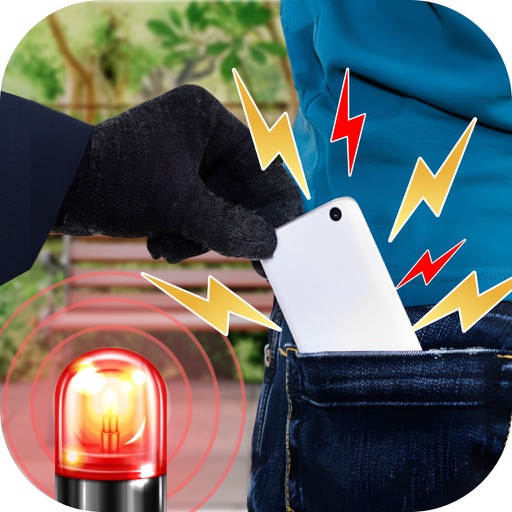
Detect unauthorized device access by triggering sounds or vibrations. Block input to prevent tampering. Enable remote activation to deter theft attempts. Lock the screen to secure the device when unattended.
Organize iPhone storage by deleting duplicate photos, removing screenshots and bad shots, and cleaning up large or old videos. Compress videos to save space. Hide private photos in a password-protected folder. Merge contacts and free up device space.
Securely store photos, videos, and files in an encrypted . Lock access with a password or biometric authentication. Hide media from device searches and prevent unauthorized access. Share content securely with password-protected links.
Organize and manage multiple portfolios with batch imports and cloud syncing. Use images, PDFs, and videos. Pinch to zoom and present on external displays. Lock content to prevent edits.
Lets users to Wi-Fi networks by scanning QR codes with their device's camera. They can also scan images containing codes. Scanned codes are stored in a history section. Users can view the password of the network.