Calculate materials with 10 tools for gravel, soil, mulch, concrete, pavers, retaining walls, grass seed, sod, area, and volume. Input dimensions in inches, feet, yards, centimeters, or meters. Output results in US customary or metric units.
Perform complex calculations using 12 built-in calculators including scientific, financial, and unit conversion tools. Input formulas with three modes: standard, string, and RPN.
Provides tools for and electronics calculations. Users can compute resistance, voltage, current, and power. Includes resistor color code conversion and voltage drop calculations aligned with NEC/IEEE standards. Supports USCS and SI units.
Perform calculations with a standard featuring extra-large buttons and functions like delete, x², √, and %. Use a scientific with 30 advanced functions. Convert units, calculate loans, and determine tips.
Record calculations, customize prompts, simplify math
Perform calculations with a simplified interface and faster performance. Record and search calculation history. Customize prompt sounds and choose from multiple themes. Designed for use on iPad.
Perform calculations with a running total and real-world logic. Handle cost, sell, and margin computations. Add or subtract percentages in one step. Features large buttons and a clear display for easy use.
The app records every calculation step, allowing users to modify any step and recalculate without re-entering data. It functions like a printing calculator with a paper tape history for clarity and ease of use.
The app calculates time differences, work days, and allows adding or subtracting time. It also converts time, finds dates in a range, and calculates age and time travel.
Diagnose eye conditions and access treatment guides
Provides diagnostic tools for eye conditions. Users can calculate visual acuity, transposition, and glaucoma risk. Features include dry eye disease assessment and diabetic retinopathy severity evaluation. Age to bifocal calculation is also available.
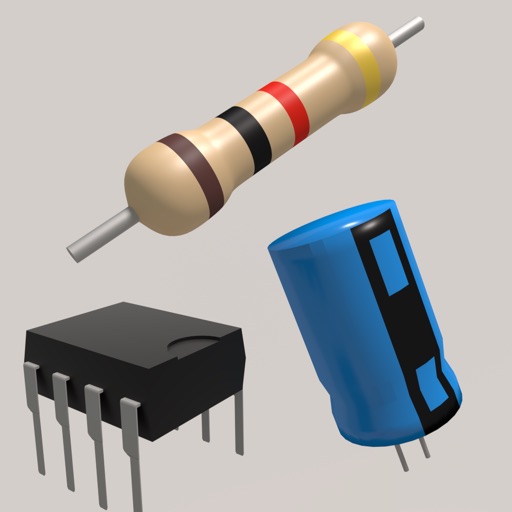
Toolkit provides resistor calculations based on color codes or SMD values. It includes an LED resistor calculator and parallel resistor tools. Users can reference electronic components and formulas for design and troubleshooting.
Perform complex calculations with scientific, engineering, and hexadecimal modes. Use RPN and multi-line display. Convert units and access constants. Undo and redo actions. Sync with Apple Watch for on-the-go calculations.
Perform complex calculations using ten built-in calculators. Access ten financial worksheets for budgeting, loans, and investments. Input formulas, view results, and save calculations. Export data as PDF or text. Switch between light and dark modes.
Perform complex calculations with 10 financial worksheets and 10 calculators. Switch between landscape and portrait modes. View results in decimal, fraction, or percentage formats. Save and recall previous calculations. Export data as text or PDF.
Displays device specs, storage details, battery status, and network info. It includes JSON formatter, QR code generator, color picker, Base64 encoder/decoder, and text diff comparator.
Datasheet search allows users to find electronic components. Resistor color codes and markings are decoded for 4, 5, and 6 band codes. Electronic symbols are displayed according to IEC 60617, IEEE 315, and GOST standards.
Solve math problems by adding, subtracting, converting, and reversing numbers. Manipulate values through portals. Use an LCD display for complex equations. Interact with a snarky assistant for guidance. Adjust button sensitivity for precise input.
Allows users to perform complex calculations with a natural equation entry system. It supports split screen, wireless keyboards, and Apple Watch integration. The displays full equations in real time and offers dark mode for enhanced readability.
Calculate , topsoil, dirt, or landscaping material needed for projects. Input dimensions for rectangular, circular, or custom areas. Enter measurements in inches, feet, yards, centimeters, or meters.